
Photoboo · Built for events & booth rentals
AI Photo Booth App for iPad
Your iPad becomes a premium AI photo booth — prints, 100+ AI styles and an online gallery at every event.
- Classic booth printing2×6 strips, 4×6 prints and magnets
- 100+ AI portrait stylesPortraits in seconds, with the guest’s real face preserved
- Keeps running offlineA traditional engine takes over when the internet drops
$19.99/month or $179.99/year. Classic photos, strips and magnets use no AI credits.
Printing at the event? Get the free Smart Server for Mac and Windows ↓
Social proof · Real people, real reactions
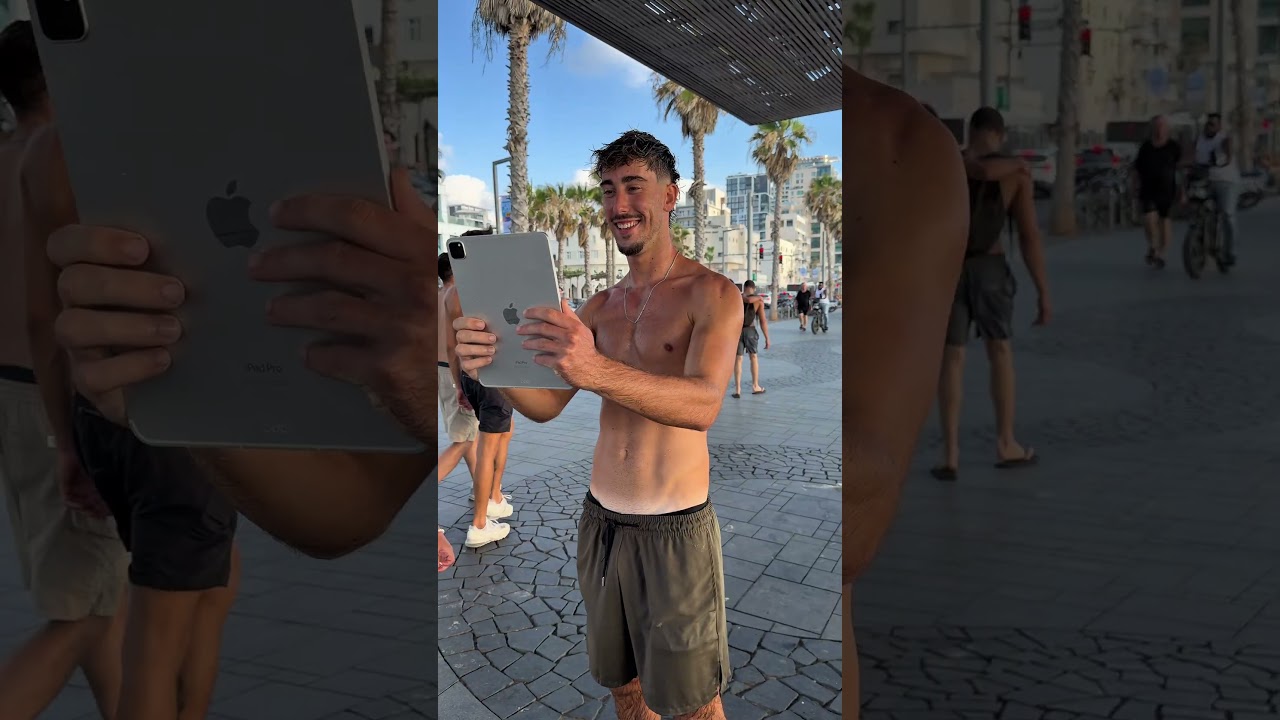
We took our iPad photo booth to the beachfront.
Want to see what happened?
No actors, no studio. We set up the AI photo booth on the street facing the beach and invited passers-by to step in front of the iPad. Hit play to see how people react to their AI portrait in broad daylight.
Interactive proof · Identity preservation
An AI photo booth app with
strong identity preservation.
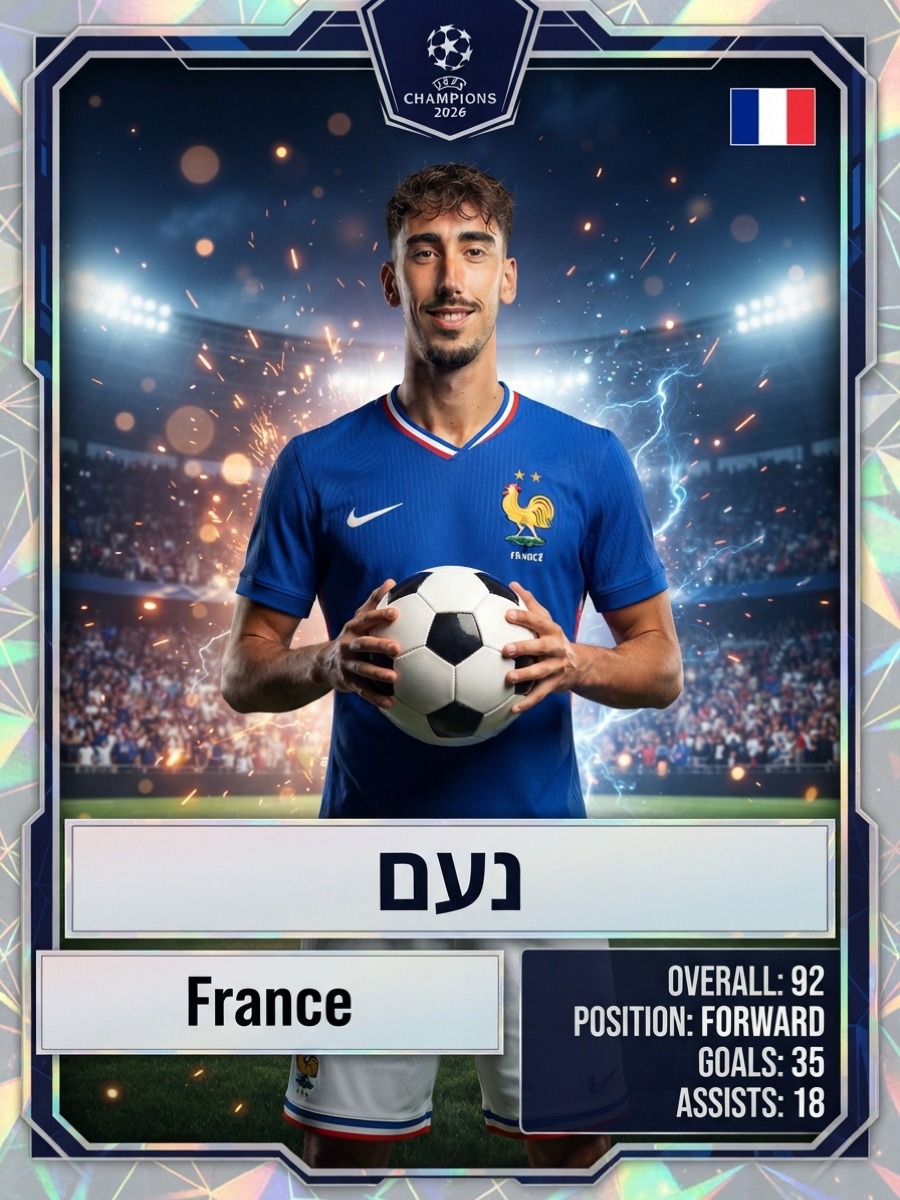
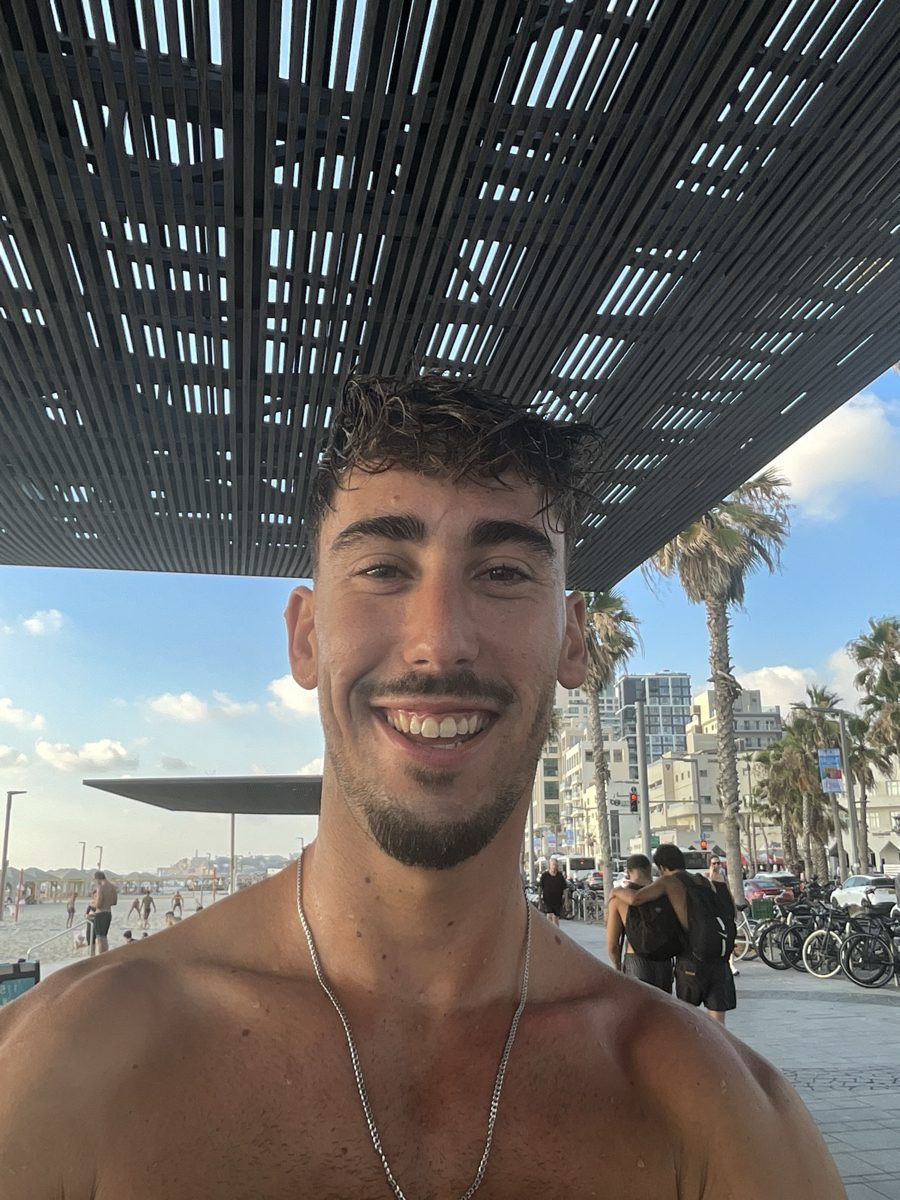
Drag the slider to compare the camera capture with the finished portrait. Photoboo is tuned to keep the guest’s real face, skin and proportions as far as current AI models allow — no beauty-filter look.
The Style Store · 100+ styles
100+ AI photo booth styles for
any kind of event.
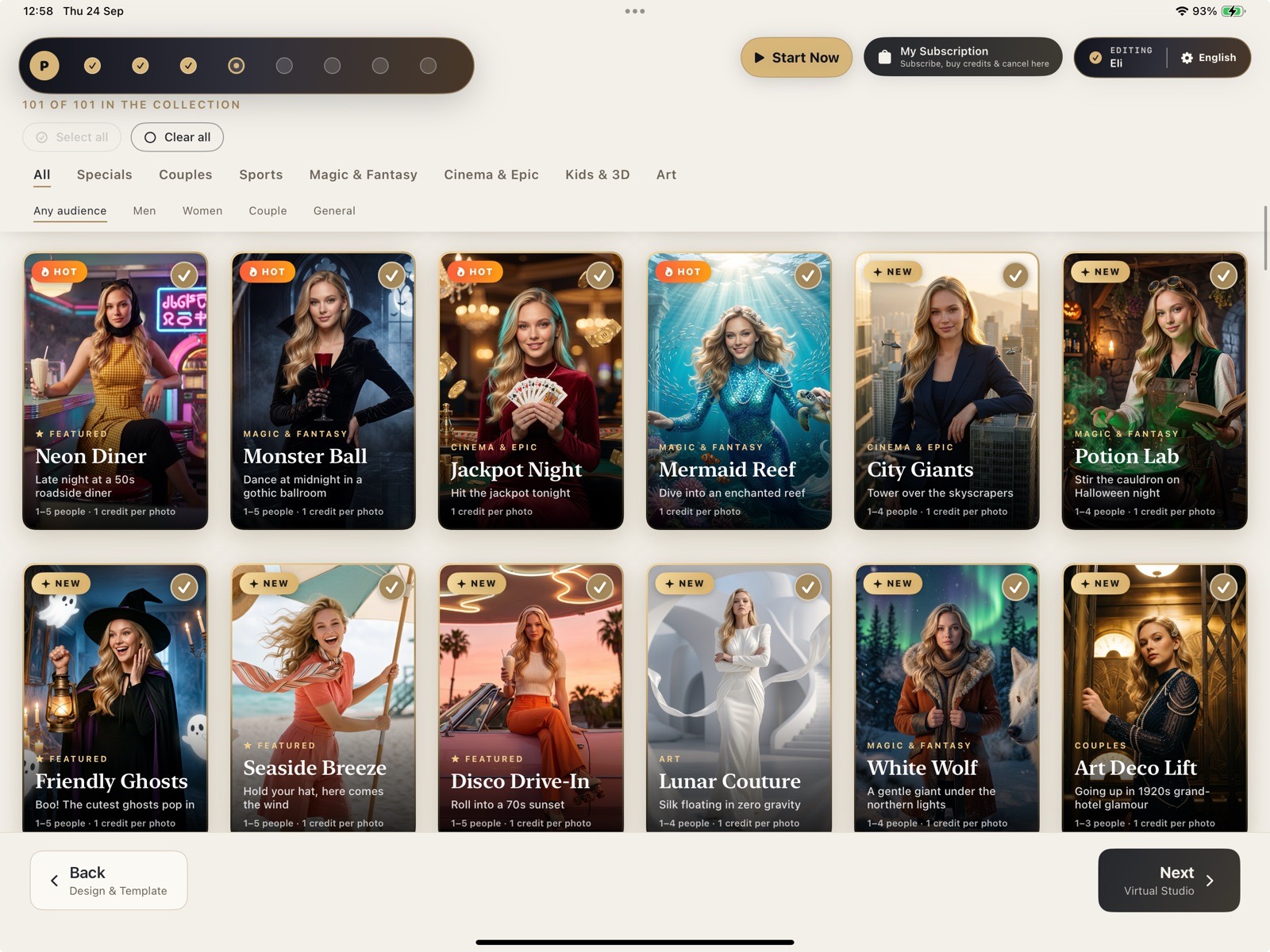
Weddings, corporate activations, sports, bar mitzvahs, kids’ parties: pick the styles for each event in the Style Store, put them on the welcome screen, and guests choose with one tap. The twelve below are a sample.
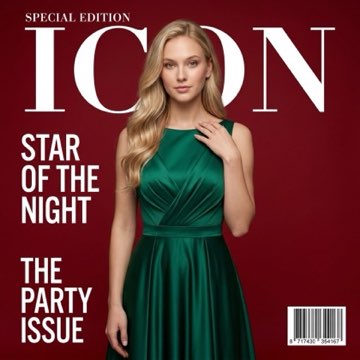


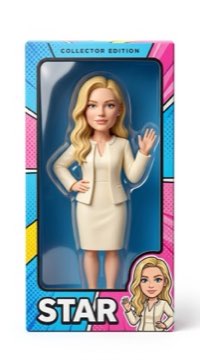








A sample — 100+ styles inside the app
Also inside the Style Store: sports & trading cards for bar mitzvahs and fan zones, wedding & editorial sets for high-end celebrations, and Vinyl Figure — the guest becomes a collectible vinyl figure with their own face, in a toy box with their name; great for prints and magnets.
How the event runs · 1. Engine
Fast online,
dependable offline.
Photoboo is built natively for iPad. Online, the AI engine generates each portrait in seconds, with the guest’s real face preserved. If the venue’s internet drops, the app queues the AI photos and switches to the traditional engine, which removes backgrounds on the iPad itself — the booth keeps shooting and printing.
AI Online Engine
AI portraits in seconds, with strong identity preservation.
Traditional engine, 100% offline
Local background removal on the iPad; queued AI photos upload when the connection returns.
Canon EOS R tethering
Connect a Canon R-series mirrorless camera to the iPad by USB for full optical quality (Canon R series only, for now). In Photographer Mode the photographer shoots on the camera and guests pick their photos afterwards.

How the event runs · 2. Photographer Mode
You shoot on your camera,
guests choose on the iPad.
Connect a Canon EOS R-series mirrorless camera to the iPad by USB cable. Use it as the booth camera, fired by the app with a countdown — or switch on Photographer Mode: no countdown, you shoot freely on your own camera, like studio tethering, and each guest picks an AI style first and chooses their photos afterwards. Every shot flows into prints, AI styles and the online gallery.
No countdown, no app shutter
The photographer fires the camera. The guest sees the results on the iPad and picks the ones to print or restyle.
Style first, photos after
The guest chooses an AI style before the shoot, then selects their favorite frames when it is done.
Canon EOS R only, for now
Full optical quality over one USB cable. Nikon, Sony and older DSLRs are not supported yet. The iPad camera remains the steadiest choice for unattended booths.
Photographer Mode
Canon EOS R → USB cable → iPad
- Guest picks a style on the welcome screen.
- You shoot on the camera, as many frames as you like.
- Guest picks the photos on the iPad.
- Prints, AI portraits and the QR gallery follow automatically.
How the event runs · 3. Printing
Print over local Wi-Fi, save up to 50% on print media.
The free Photoboo Smart Server runs on a Mac or Windows computer next to your dye-sub printer. The iPad sends photos over the local network — no internet required — and the server packs two 2×6 strips, or a mix of formats, onto each 4×6 sheet before printing.
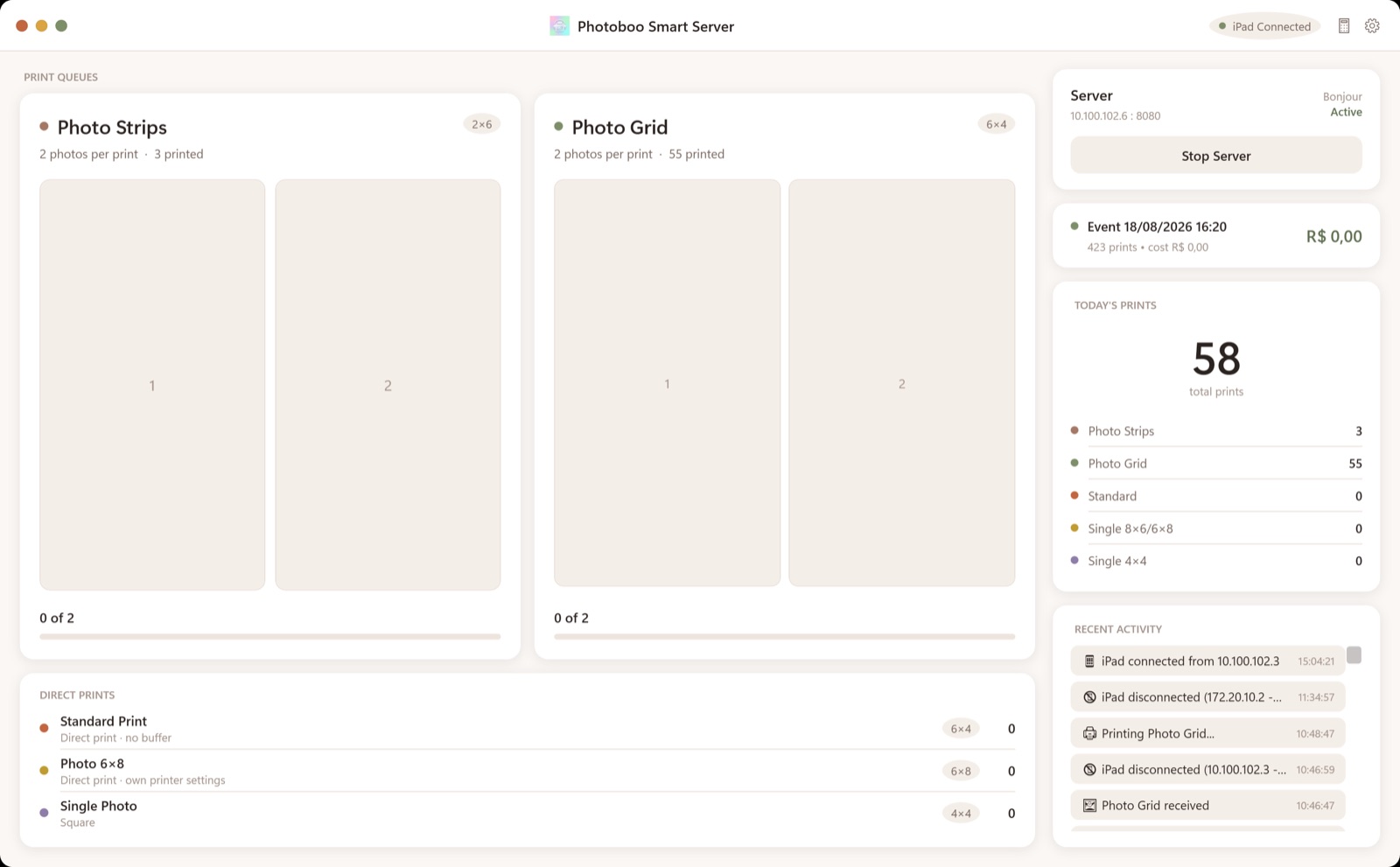
Smart Auto-Packing
Arranges 2×6 strips and 4×6 prints to fill each sheet completely.
Multi-Template Sync
Up to 3 active templates at once, without slowing down the iPad.
Background Routing
Sends every photo to the printer, the online gallery and guest phones via QR code.
One 2×6 strip per 4×6 sheet
Each strip is printed on its own 4×6 sheet — half of every sheet is thrown away.
Two 2×6 strips per 4×6 sheet
Smart auto-packing pairs two 2×6 strips (and mixes in 4×6 prints) on the same sheet before printing.
How the event runs · 4. Design Studio
Your brand on every screen.
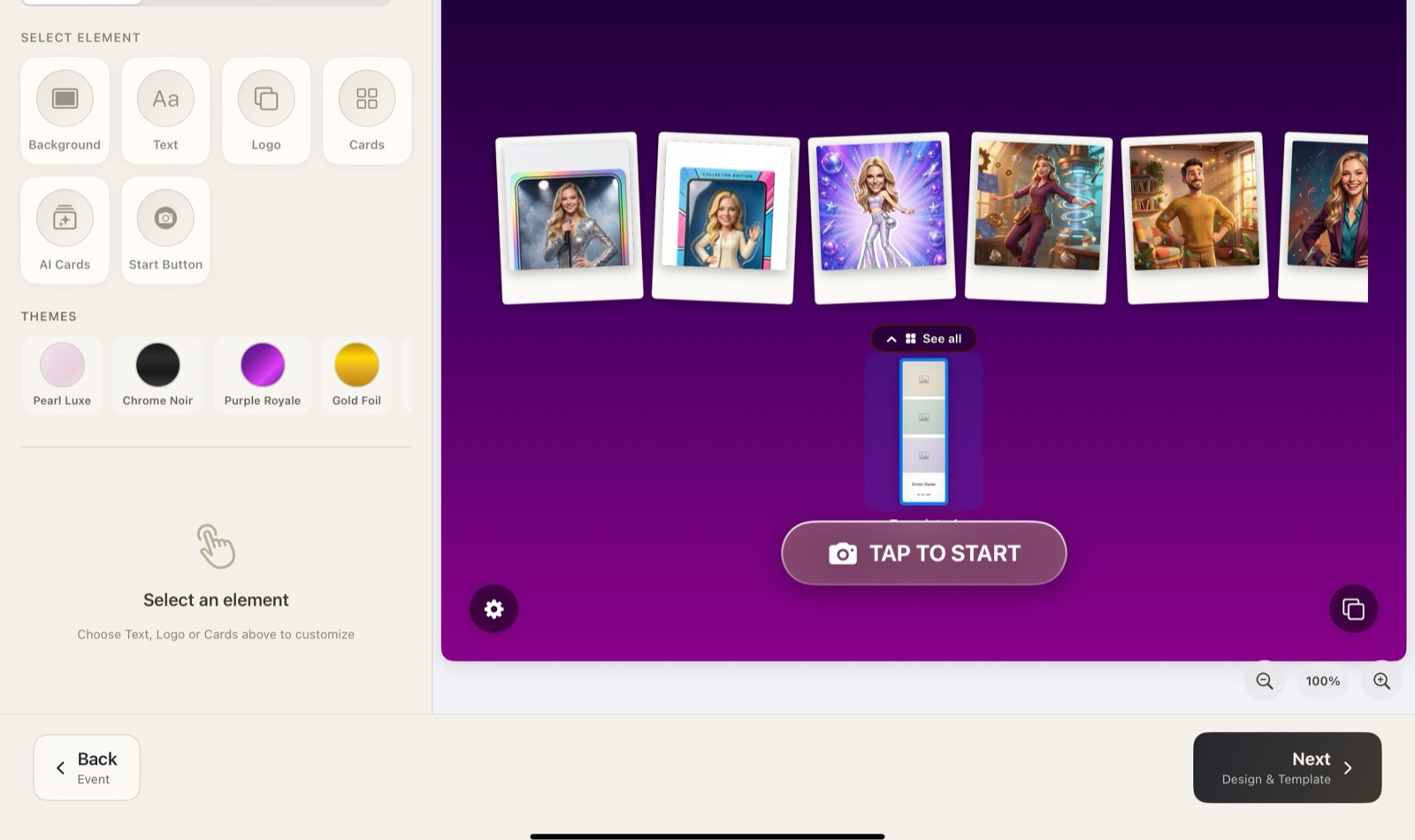
Design the welcome screen and the print templates on the iPad — no computer, no designer. Set the branding once and every format prints from the same setup.
- Welcome screen editorBackgrounds, logo, AI style cards, themes and start buttons in glass, neon, outline or shutter.
- Print template editorImport your own overlay and the photo slots are detected automatically — strips, 4×6, square and more; one setup prints every size.
- What you see is what printsThe preview on the iPad is exactly what guests see and what the printer delivers.
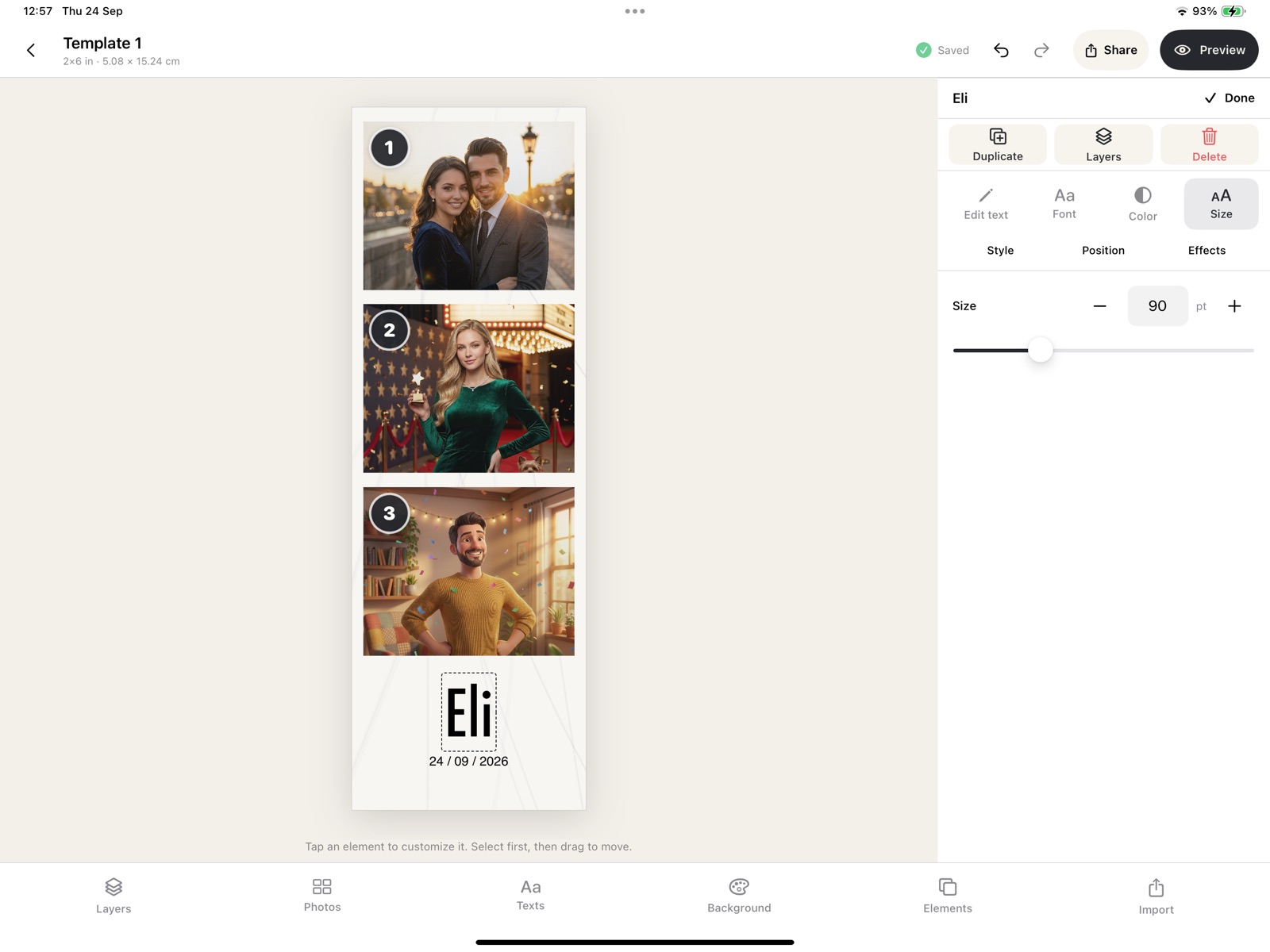
Import your overlay — Photoboo finds the photo slots automatically, from a transparent PNG or a flat JPG with solid-color boxes.
How the event runs · 5. Phone Booth
Guests leave a voice or video message.
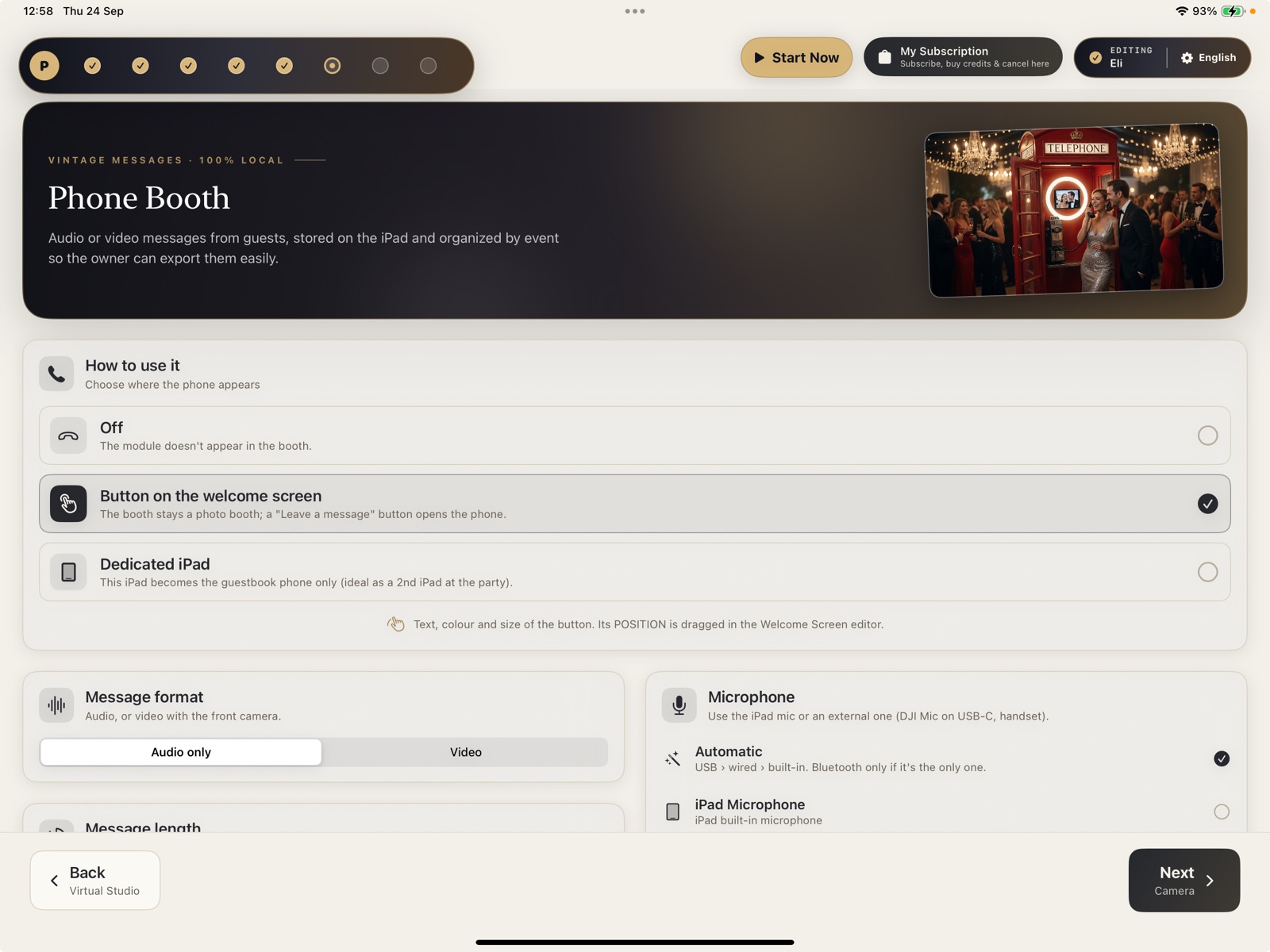
Turn the booth into a party phone — or a second iPad into a dedicated guestbook phone. Guests pick up, hear your greeting and leave a memory for the hosts.
- Audio or videoVoice only, or video with the front camera — you choose per event.
- 100% on the iPadNothing goes to the cloud: recordings stay on the device, organized by event, ready to export.
- Button or dedicated iPadA “Leave a memory” button on the welcome screen, or a second iPad that works only as the phone.
- Pro microphonesWorks with the iPad mic or a USB-C wireless mic (e.g. DJI Mic).
How the event runs · 6. Online Gallery
Every guest photo in one elegant gallery.
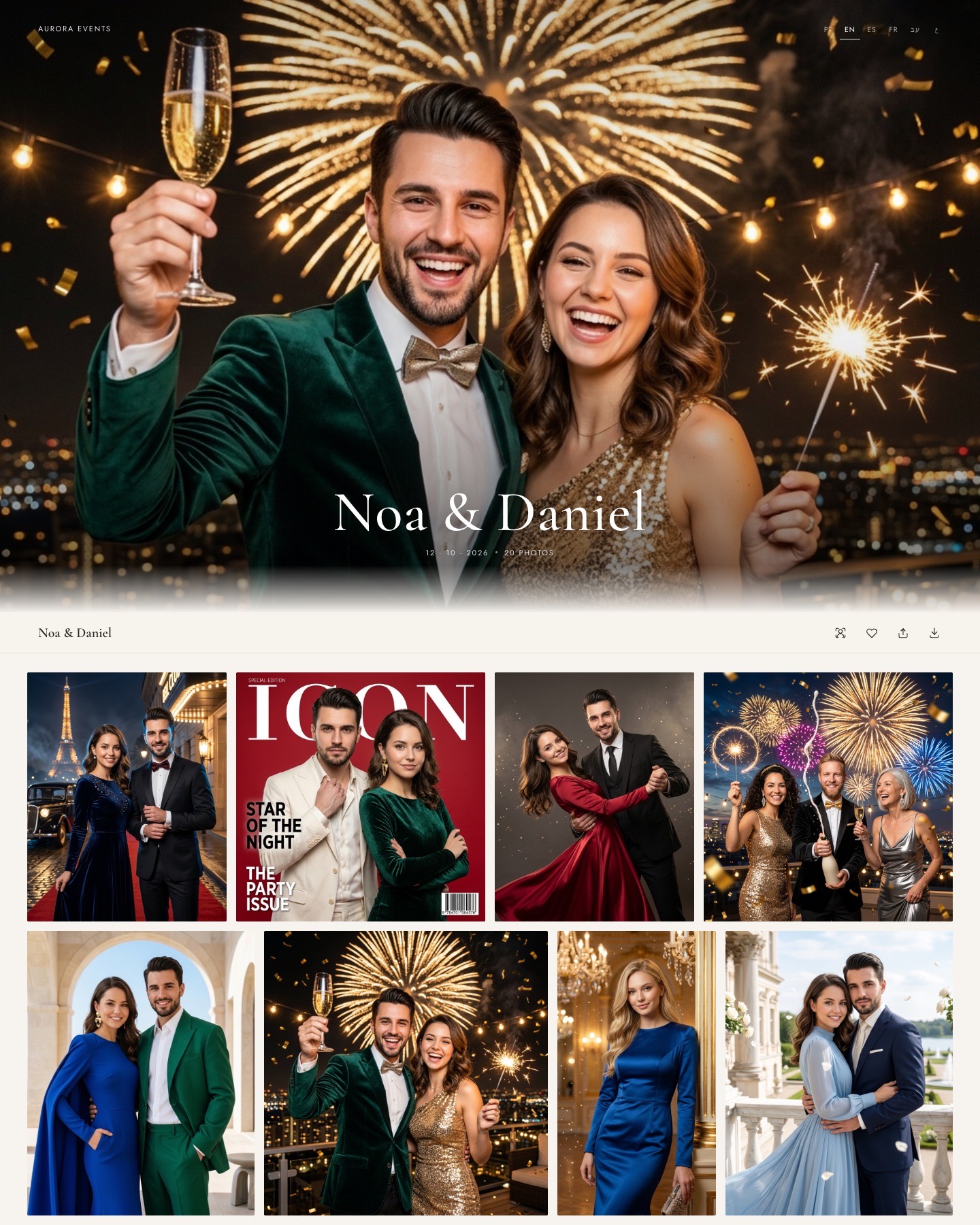
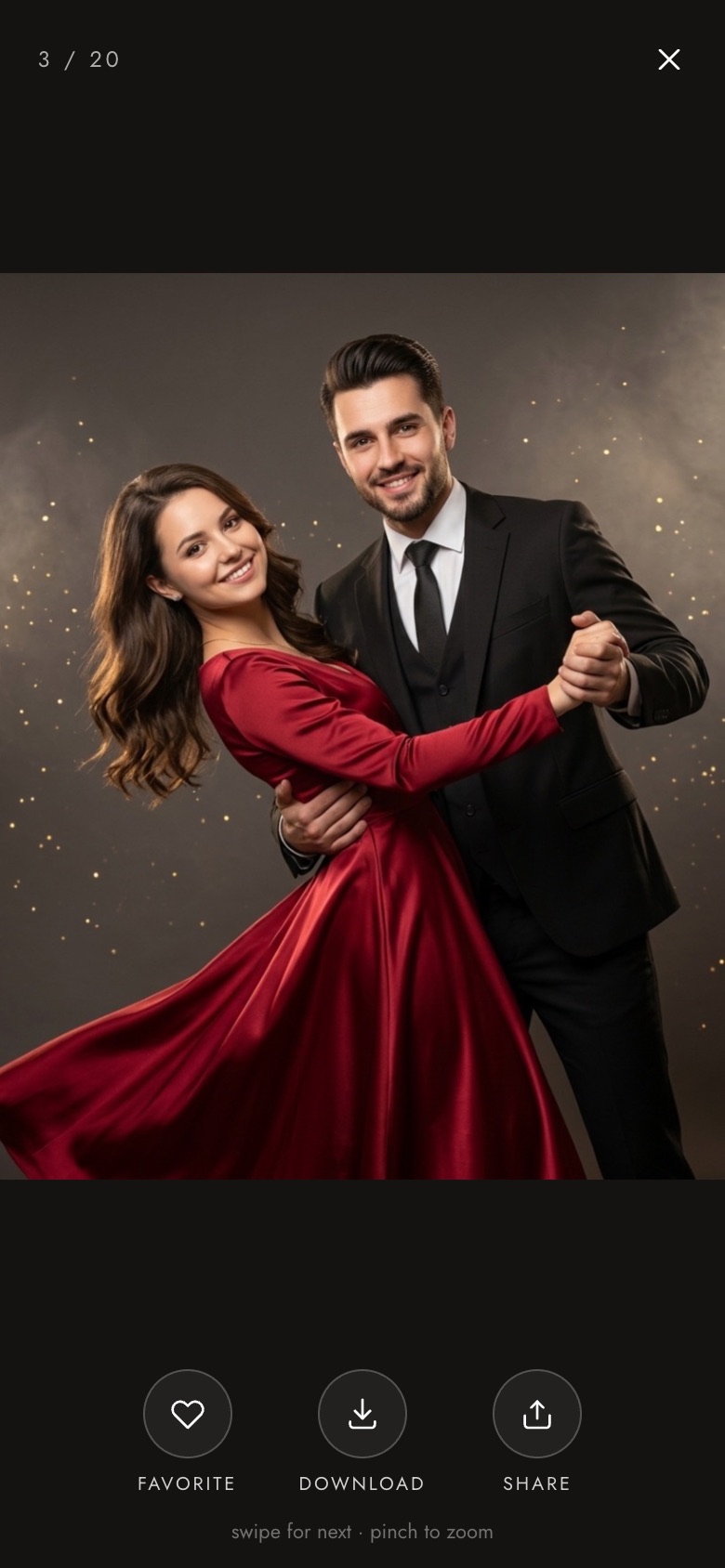
Photos upload from the iPad during the event. Guests scan the QR code on their print and find their portraits in a gallery with your cover and your brand — ready to download and share.
- Your cover, your orderPick the cover photo and drag photos into the order you want.
- QR code on every printGuests scan and land on their photo — or the whole event.
- Private when you need itPublic, password or link-only, plus a PIN for original downloads.
- See what guests loveDownload counter per photo, and one-tap download of the whole album.
- In the guest's languageEnglish, Português, Español, Français, עברית and العربية.
Six languages
The whole app in your guests’ language, with native RTL.
Every screen the guest touches — and every screen you configure — is translated. Hebrew and Arabic get a fully mirrored, right-to-left interface, not a partial translation.
Switching · Compare
Coming from another photo booth app?
Running dslrBooth / LumaBooth, Snappic or Simple Booth? Photoboo fits the same professional workflow: connect your printer through the free Smart Server, load your layouts and run your next event on the 30-day free trial. You keep prints, strips and magnets — and add 100+ AI styles and an engine that keeps working offline. Compare: dslrBooth / LumaBooth → · Snappic → · Simple Booth → · All three side by side →
Try Photoboo free for 30 daysWhat is the best AI photo booth app for iPad?
Photoboo is a professional AI photo booth app for iPad (and iPhone) created by photographer and developer David Yehuda Cardoso for event photographers and photo booth rental companies. One app runs classic prints — 2×6 strips, 4×6 prints and photo magnets — and 100+ AI portrait styles at the same event, works offline, tethers Canon EOS R cameras, prints through the free Smart Server for Mac and Windows, and adds an online gallery and a Phone Booth for guest messages — in six languages.
FAQ
Technical & Business Questions
Upgrade Your Event Business
Ready to upgrade your iPad into a
high-margin photo booth engine?
Photoboo is new — so don’t take our word for it. Run your next event with Photoboo and your current setup side by side during the free month: printing stays on your own local network, a traditional engine keeps the booth going if the internet drops, and support answers within 24 hours.