Comparison · Checked September 2026
Photoboo vs LumaBooth vs Snappic: An Honest iPad Photo Booth App Comparison (2026)
Disclosure: this comparison is written by Photoboo, so we are not neutral. To keep it fair, every fact about LumaBooth and Snappic comes from their own official websites, checked on 28 September 2026. Where we could not verify something, we say so instead of guessing. Prices and features change often, so check each vendor's site before you buy.
The short answer
- LumaBooth is the most flexible low-cost option. It supports Canon, Nikon and Sony cameras, 360 and glam booths, and prints directly from the iPad over USB.
- Snappic is the most complete business platform. It covers multiple booth types, analytics, data capture and white-label options, at a much higher price.
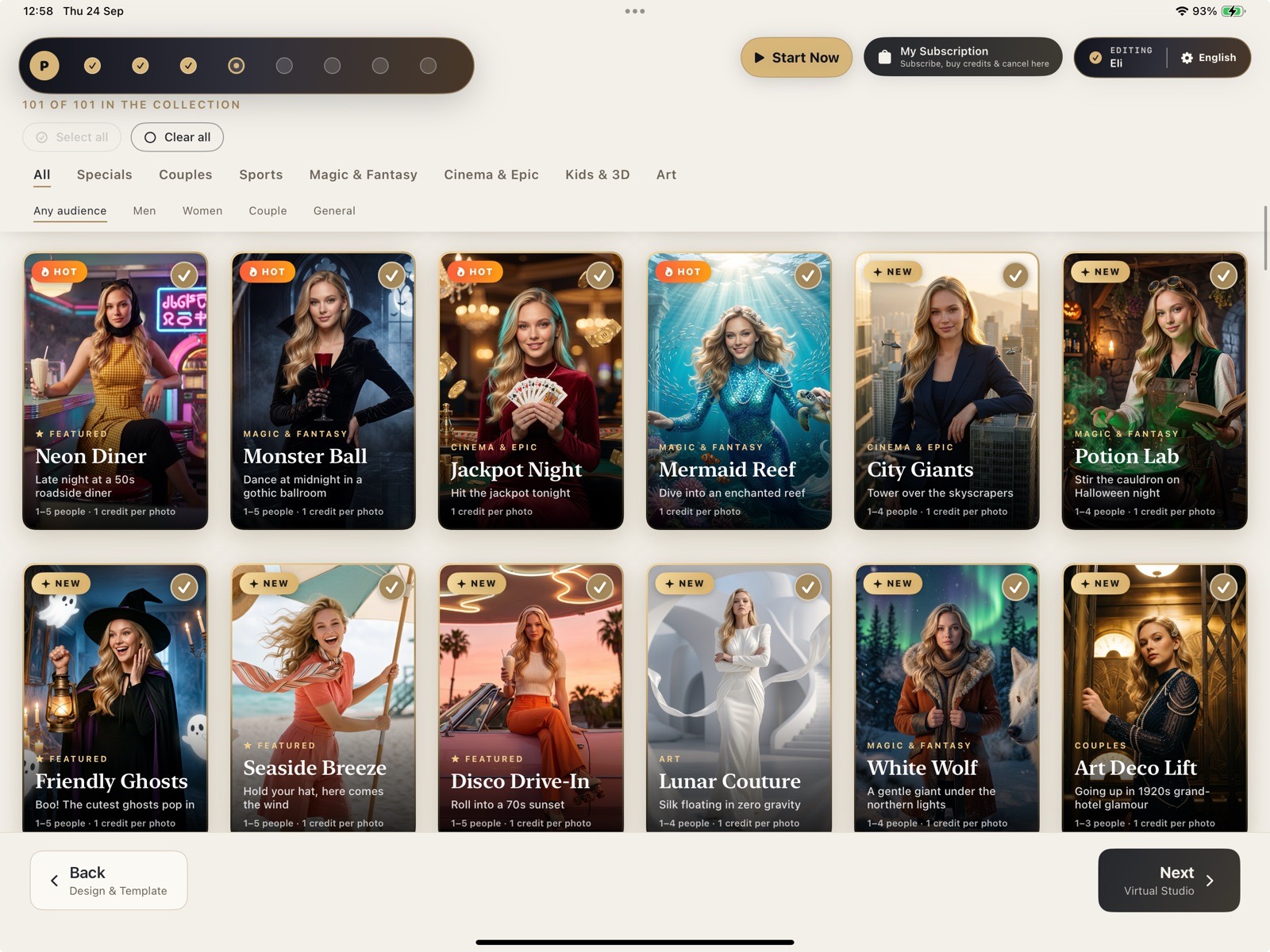
- Photoboo is the most focused option for iPad booths that sell classic prints and AI portraits at the same event. Its strengths are photo magnets, Hebrew and Arabic right-to-left support, Photographer Mode for a tethered Canon, automatic photo-slot detection on imported templates, and packing two strips per sheet.
Comparison table
| Criterion | Photoboo | LumaBooth (Apple) | Snappic |
|---|---|---|---|
| Starting price | $19.99/month or $179.99/year (U.S. App Store) | $19.99/month, or $18/month billed annually | Starter from $69/month. Business $189, Premium $279, Scale $399 per month |
| Devices included | Up to two devices (iPad or iPhone) on the same Apple Account | First two devices included | 1 booth license per plan. Extra licenses cost more (for example $39 on Starter) |
| Free trial | Currently 1 month, with 10 AI credits | Yes, no credit card required. Length not stated on the pages we checked | 14 days |
| Platforms | iPad and iPhone | iPad, iPhone and Mac. Separate Windows (dslrBooth) and Android apps | iPad-based. We did not verify the other platforms |
| AI portraits | 100+ styles. Credits per photo: Lite ½, Standard 1, Detail 2K 1½ | AI Portraits: 1 credit per portrait, through monthly plans or packs. 20 free credits for new subscribers | AI-FX from the Business plan ($189/month) and up. Needs internet and has usage limits |
| External cameras | Canon EOS R-series mirrorless only, by USB. Works as the booth camera, or in Photographer Mode: the photographer shoots on the camera and guests pick their photos afterwards | Canon, Nikon and Sony, plus the built-in iPad or iPhone camera | DSLR and GoPro integration listed on every plan |
| Printing | Through the free Smart Server on a Mac or Windows computer, over local Wi-Fi | Includes direct USB printing from the iPad (version 5.3) to DNP, Citizen and HiTi printers | Wired printing, wireless print server and AirPrint. Direct USB printing listed as new or coming soon |
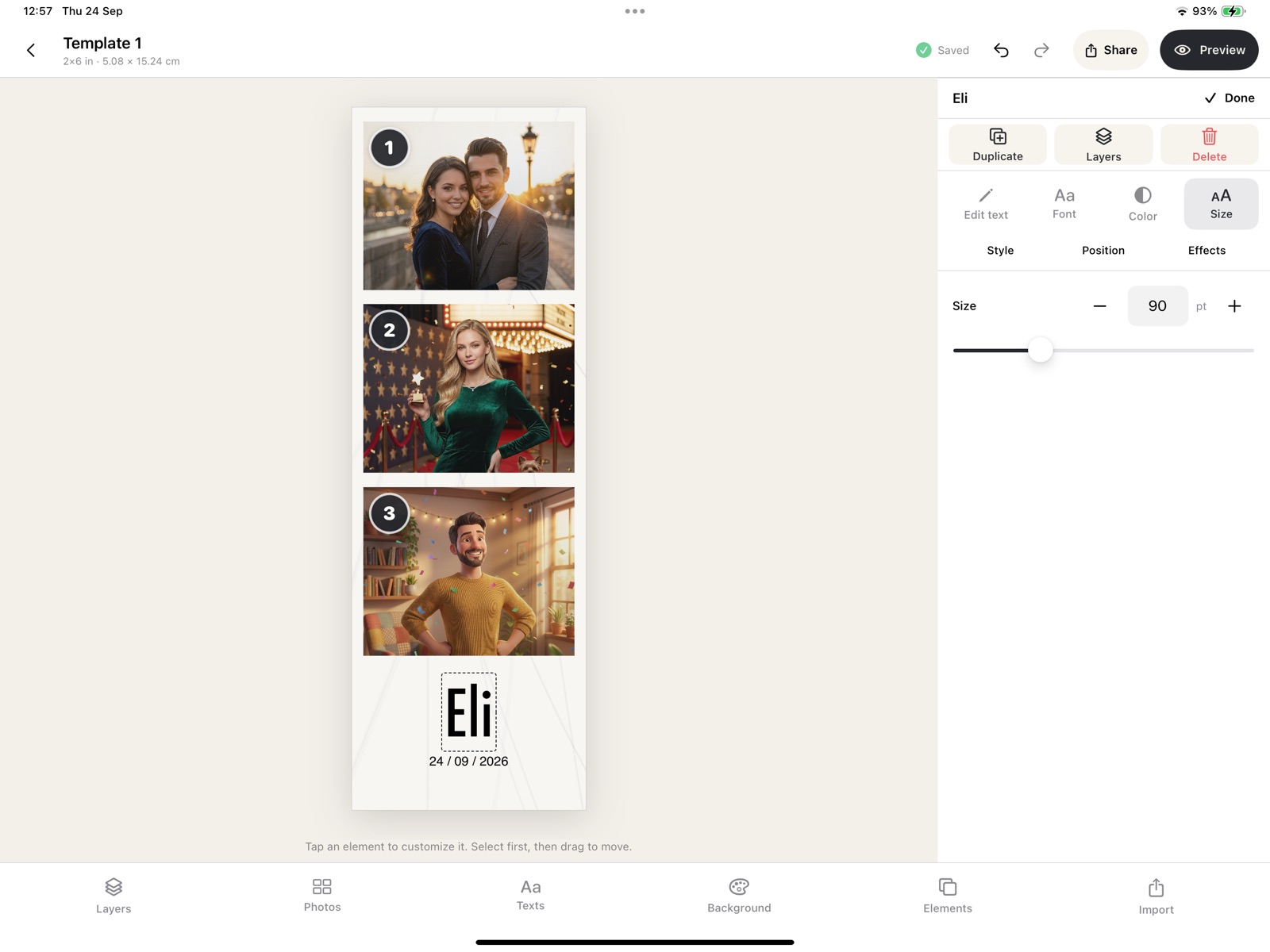
| Templates | Import your own overlay (PNG or JPG) from Files. Transparent areas of a PNG, or solid-color boxes in a flat JPG, become photo slots automatically. Then move, resize, duplicate or remove slots (up to 8) | Built-in print layout designer. Automatic slot detection from an imported overlay not verified | Template Designer, Frame Layout Creator and event templates. Automatic slot detection not verified |
| Print-media saving | Packs two 2×6 strips (or mixed formats) onto one 4×6 sheet | Not verified | Not verified |
| Photo magnets | Built-in print format | Not verified as a named format | Not verified as a named format |
| Offline operation | Printing works on a local network with no internet. The traditional engine removes backgrounds on the iPad. AI photos are queued | Not verified | Captures and prints offline once the event is downloaded, and queues shares. Internet needed for setup, sharing and AI-FX (Snappic Help Center). Offline background replacement not verified |
| Booth types | Photo booth (classic + AI) and Phone Booth guestbook | Photo, 360, glam, green screen and video guest book | Still, GIF, burst, VideoFX, 360, glam robot arm, roaming (depending on plan) |
| Guest messages | Phone Booth: audio or video, kept on the iPad | Video guest book | Not verified |
| Online gallery | Included: QR code, public, password or link-only, download PIN | Event albums in fotoShare Cloud, basic plan included | Microsites from Business. $19 per event on Starter |
| Languages / right-to-left | 6 languages, with full right-to-left Hebrew and Arabic | Not verified | A "Translations" feature is listed. Languages not verified |
| Business tools | Not a focus: no surveys or data capture listed | Not verified in detail | Custom surveys, data capture, analytics, webhooks, white label (depending on plan) |
| Track record | New app with few public reviews so far | Established product (formerly dslrBooth). Its site reports thousands of users | Established platform. Its site reports 10,000+ users |
"Not verified" means we did not find the information on the competitor's official pages. It does not mean the feature is missing.
Where LumaBooth is better than Photoboo
- Camera choice. LumaBooth supports Canon, Nikon and Sony cameras. Photoboo supports only Canon EOS R-series cameras for now.
- Printing without a computer. LumaBooth 5.3 prints directly from the iPad over one USB cable to DNP, Citizen and HiTi printers. Photoboo needs a Mac or Windows computer running its Smart Server.
- More booth types. LumaBooth covers 360, glam and green-screen booths. Photoboo focuses on photo booths and the Phone Booth guestbook.
- More platforms. LumaBooth also runs on Mac, and the company offers Windows and Android versions. Photoboo is iPad and iPhone only.
- Track record. LumaBooth, formerly dslrBooth, has been on the market much longer. Its site reports thousands of users. Photoboo is new and has few public reviews.
Where Snappic is better than Photoboo
- Breadth of experiences. Snappic offers GIF, burst, VideoFX, 360, glam robot arm and roaming modes, depending on the plan.
- Business and brand-activation tools. Snappic offers custom surveys, data capture, analytics, webhooks and white-label options, depending on the plan. Photoboo does not list these.
- Support. Snappic's pricing page lists 24/7 support on its plans. Photoboo support answers by email, within 24 hours.
- Scale. Snappic has sub-account management and multi-client tools for agencies with many booths.
- Track record. Snappic is an established platform, and its site reports 10,000+ users. Photoboo is new.
Where Photoboo is stronger
- Classic prints and AI at the same event, in one app. Photoboo's license costs the same as LumaBooth's ($19.99/month), and both charge per AI photo with credits. Snappic's AI-FX starts on its $189/month plan.
- Photo magnets as a built-in print format.
- Hebrew and Arabic with a fully mirrored right-to-left interface.
- Print-media saving: two 2×6 strips on one 4×6 sheet.
- A Phone Booth guestbook that keeps recordings on the iPad, never in the cloud.
- Bring your own template. Import the overlay you already use, as a PNG or a flat JPG, and Photoboo finds the photo slots automatically. It knocks out solid-color boxes in a JPG and ignores decorative gaps. One setup then prints strips, 4×6, square formats and magnets.
- Photographer Mode: a photographer shoots freely on a tethered Canon EOS R, and guests pick their AI style and their photos on the iPad. We did not verify whether LumaBooth or Snappic offer an equivalent mode.
Who each app is right for
Choose LumaBooth if you want a mature, low-cost app that works with your existing Nikon, Sony or Canon camera, runs 360 or glam booths, or prints from the iPad without a computer.
Choose Snappic if you run a larger booth business or serve corporate and agency clients who need data capture, analytics, branded microsites, many experience types and 24/7 support, and your pricing can absorb a plan from $69 to $399 per month.
Choose Photoboo if you run iPad booths and want classic prints (strips, 4×6, magnets) plus 100+ AI styles in one app. It suits you especially if you already have your own overlays, work in Hebrew or Arabic, shoot with a Canon EOS R, or want to cut print-media costs. It is a newer product, so test it on the free trial before a paid event.
Written by Photoboo. Competitor information checked on 28 September 2026 against dslrbooth.com/pricing, the LumaBooth help center (support.lumasoft.co), the LumaBooth blog, snappic.com/pricing and the Snappic Help Center. LumaBooth, dslrBooth and Snappic are trademarks of their respective owners. Photoboo is not affiliated with them. Found an error? Email [email protected] and we will correct it.
Test it at a real event first
30-day free trial with 10 AI credits. Run it next to your current setup. Cancel anytime.
Get Photoboo for iPadOne-to-one comparisons: LumaBooth · Snappic · Simple Booth