
The AI photo booth for event pros
Turn every guest into the star of the night.
Open it in the browser, pick a style, take the photo. Moments later your guest is on a red carpet, a helipad or next to a dragon.
No app to install. Works on a computer, a touch screen or a phone — and guests can join from their own phones.
Pick an effect
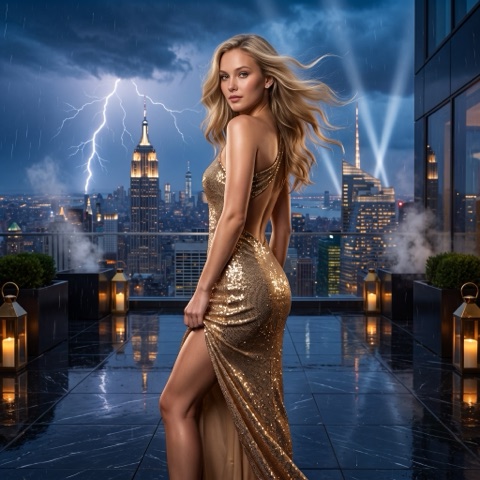 Manhattan Top Model
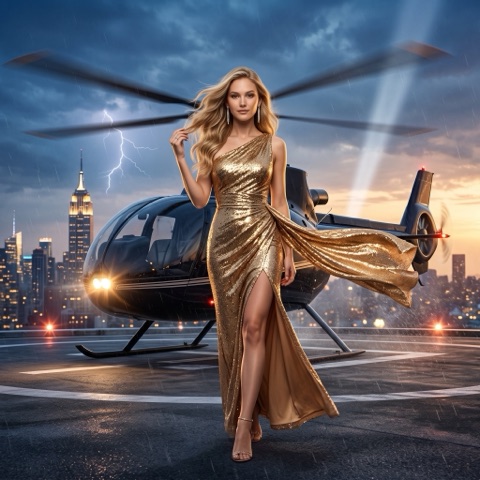 Helipad Arrival
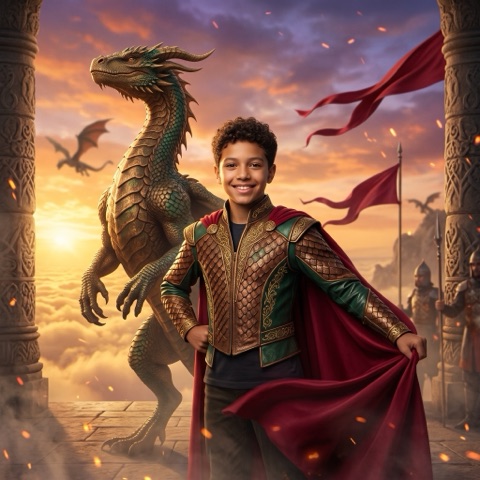 Dragon Guardian
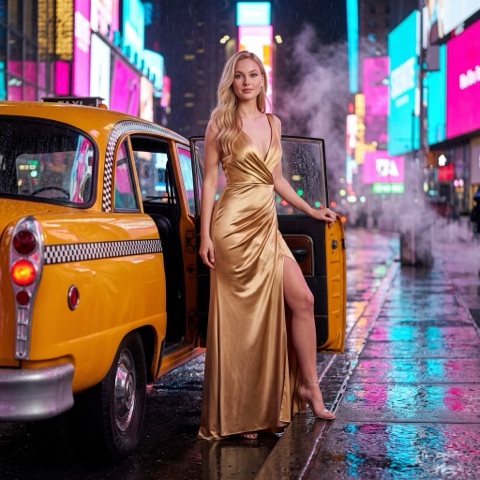 Yellow Cab Rain
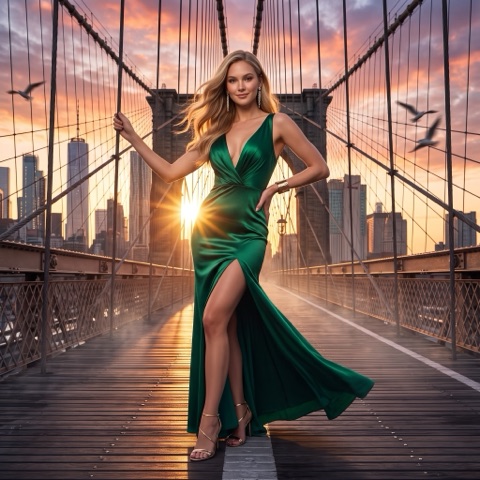 Brooklyn Bridge
 Palace Stallion
See it with real people
Everyday guests. Other worlds.
A grandfather, a family and a group of friends at a party, each turned into a different world with Photoboo styles.
Sample people created for this demo.
In one sentence
What is Photoboo Web?
Photoboo Web is AI photo booth software that runs in a web browser, on a computer, a touch screen or a phone. The operator picks one of more than 110 AI styles, takes the guest’s photo with a webcam or uploads a photo from the computer, and gets a finished AI portrait. It works the way the operator already works: on a touch-screen kiosk, on a computer with a camera, or with photos uploaded from a photographer’s camera. It was built by the Photoboo Lab.
Step by step
Photobooth mode or upload by style.
Two workflows. Use the one that fits the event, or both.
Real screens of Photoboo Web. The camera list, format, quality and countdown are in Settings ⚙.
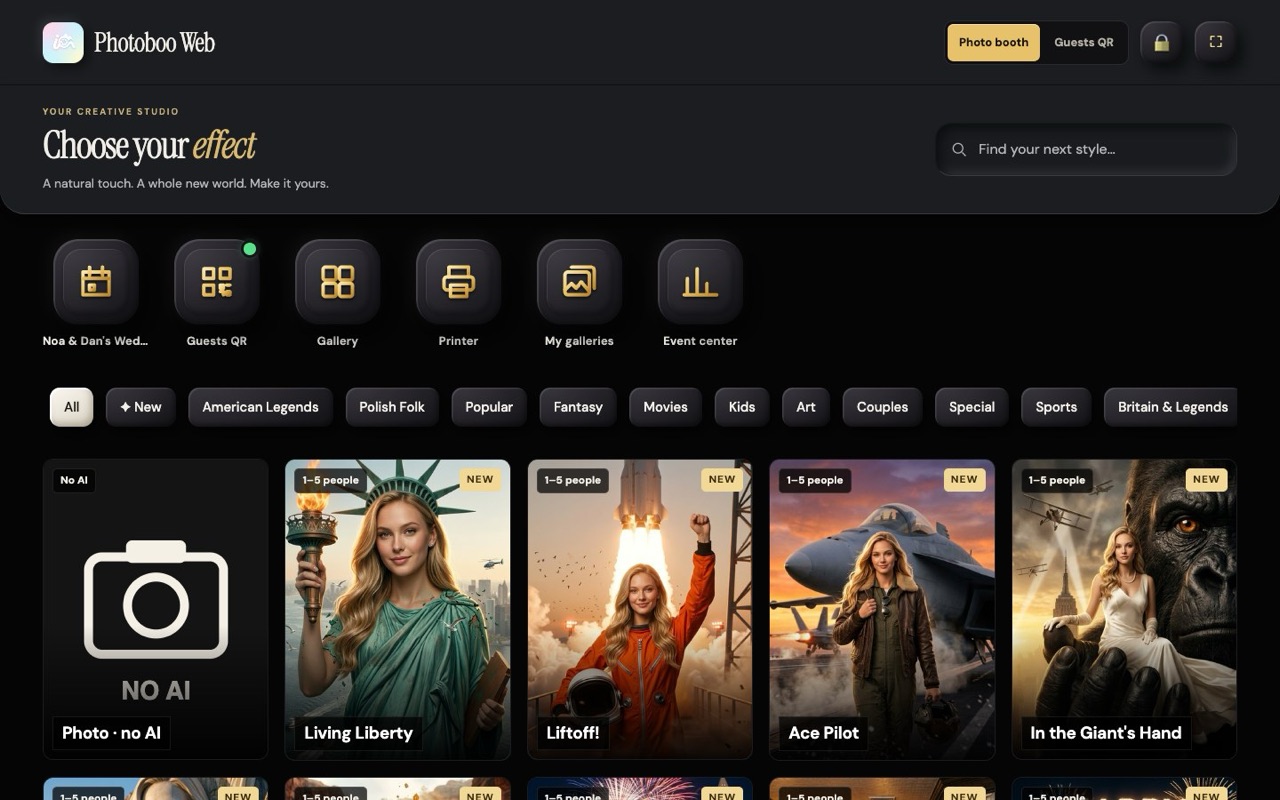
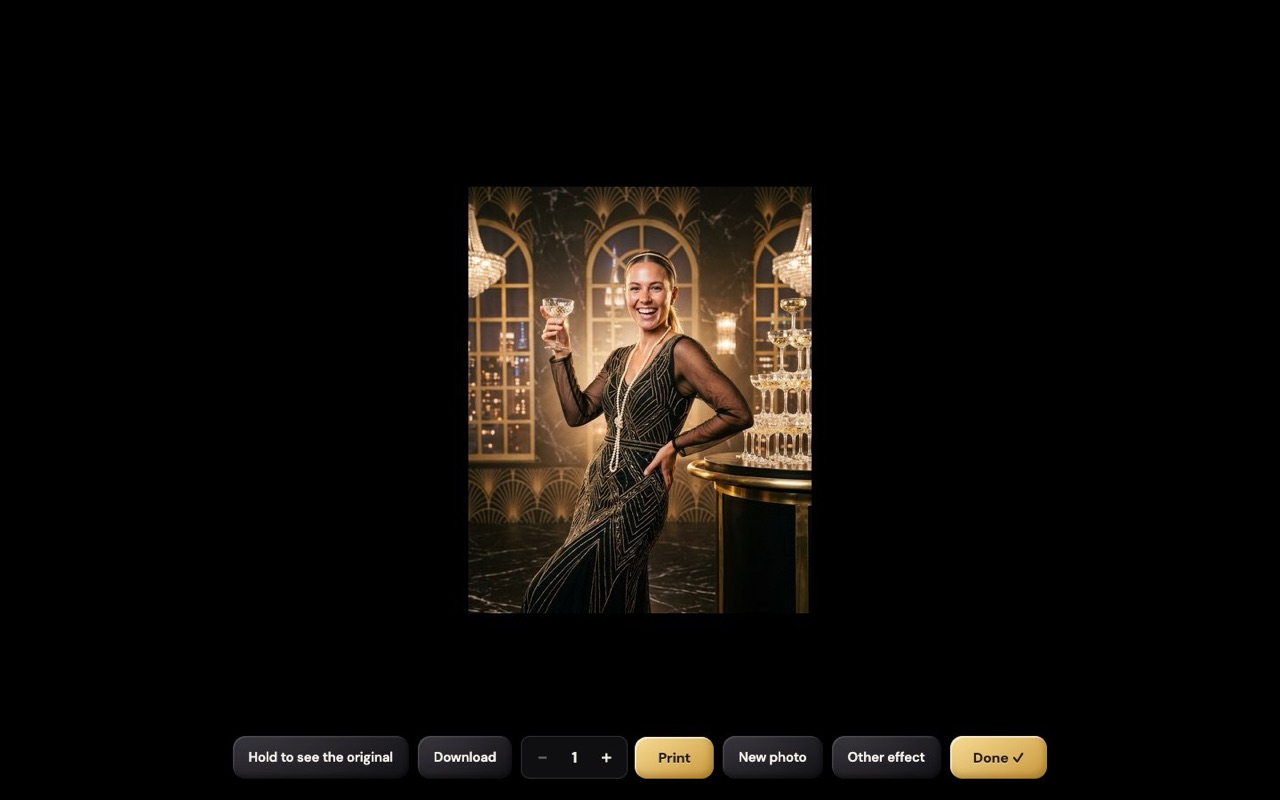
Photobooth mode
For events where guests stand in front of the screen.
- Open Settings and choose the camera, the photo format and the countdown.
- The guest picks a style on the screen.
- Choose 1 or 2 people and the quality.
- The guest presses the button: 3, 2, 1 and the photo is taken.
- Check the photo and press Transform.
- The AI photo appears: download it, print it, or start the next guest.
Upload by style
For photographers and for photos you already have.
- Pick the style you want.
- Press “Upload photo” and choose a photo from your computer or phone.
- Check the number of people and the quality.
- Press Transform.
- Download the finished photo.
- Upload the next photo with the same style, or go back and pick another style.
Guest QR mode
Guests use their own phones.
No line at the booth. You show one QR code for the event. Each guest scans it, picks a style and creates the AI photo on their own phone. The photos use your credits, and you decide the limits.
- Create the event and its QR code.
- Choose what guests see: the AI photo booth and, with Photoboo Pro, messages for the hosts and the event group.
- Set the limits for the event and for each guest.
- Show the QR code on a screen, a table card or the invitation.
- Guests scan it, pick a style and take the photo on their phone.
- The photos go to the event gallery, and the prints go to your printer.
What you control
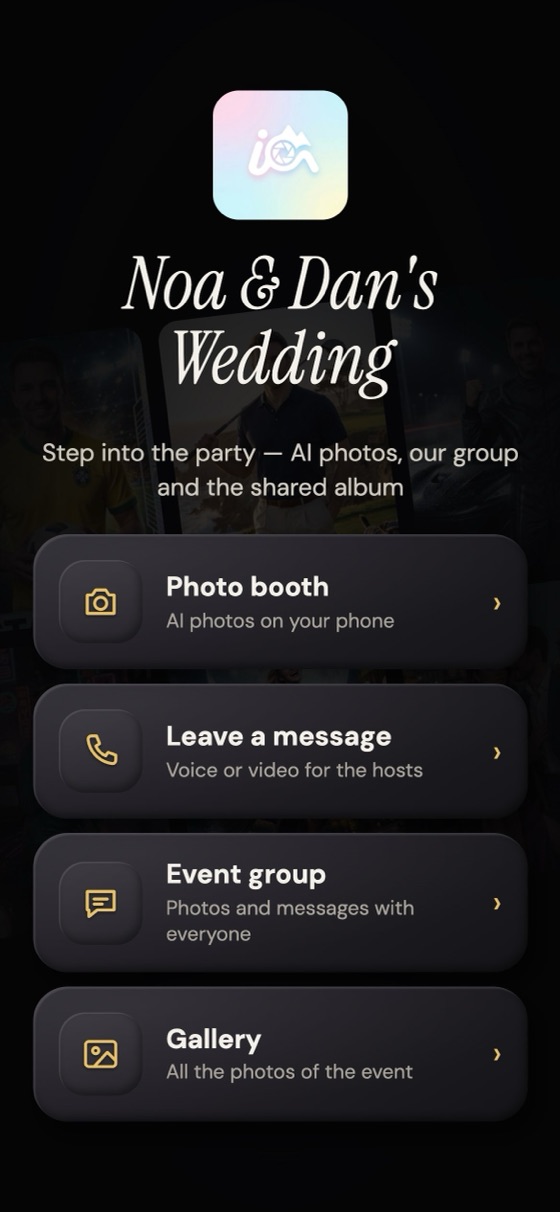
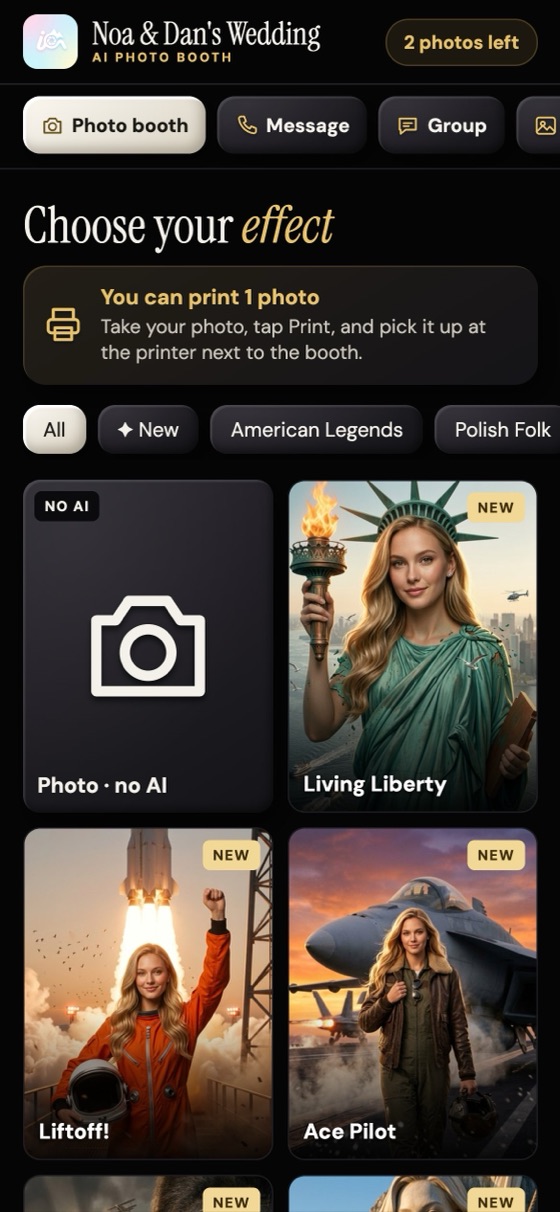
Real screens of Photoboo, from a sample event.
The event groupPhotoboo Pro
The whole party, in one group.
It works like a group chat for the event. Guests join with the same QR code — no app, no sign-up, just their name and e-mail — and everyone sees everyone, live.
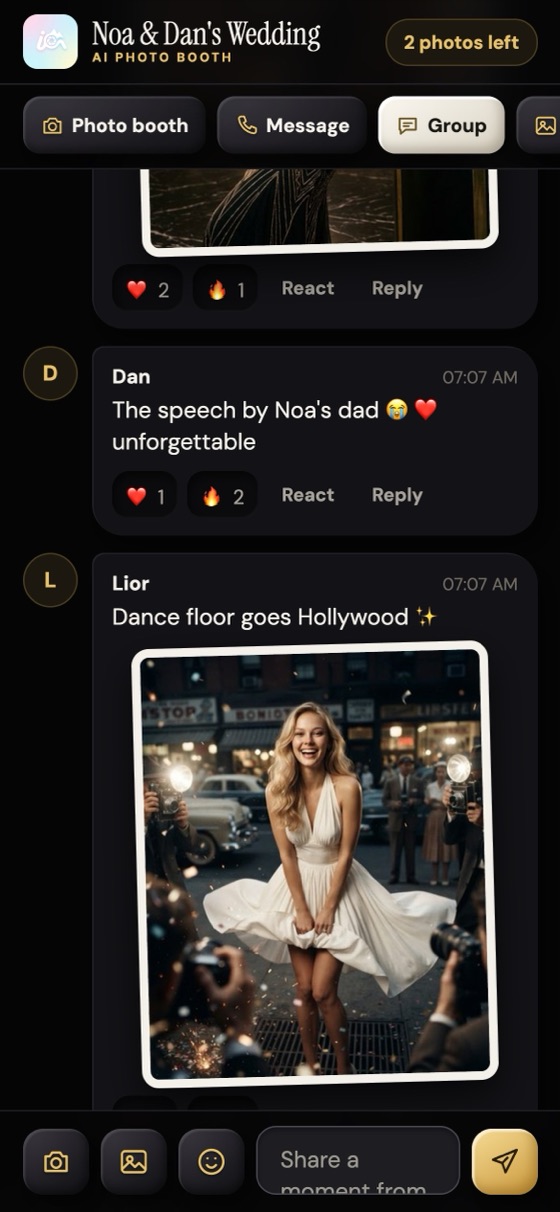
Posts, replies and emoji
Guests post photos, short videos, voice notes and text. They reply to any post, react and send emoji, just like in a group chat.
A shared album, live
Every photo and video from the group goes into the event album. Any guest can open it during the party, see everything and download.
Messages for the hosts
Guests leave a voice or video message that only the hosts see: the couple, the birthday star, the family.
The event book, in PDF
After the party, the whole story becomes a book: the group in order, the messages for the hosts and the album.
The gallery by e-mail, a day later
One day after the event, each guest gets the link to the gallery by e-mail. The hosts get it too, with the book.
You run the group
You choose what guests see, delete any post and close the group when the party ends. Everything stays online for 3 months.
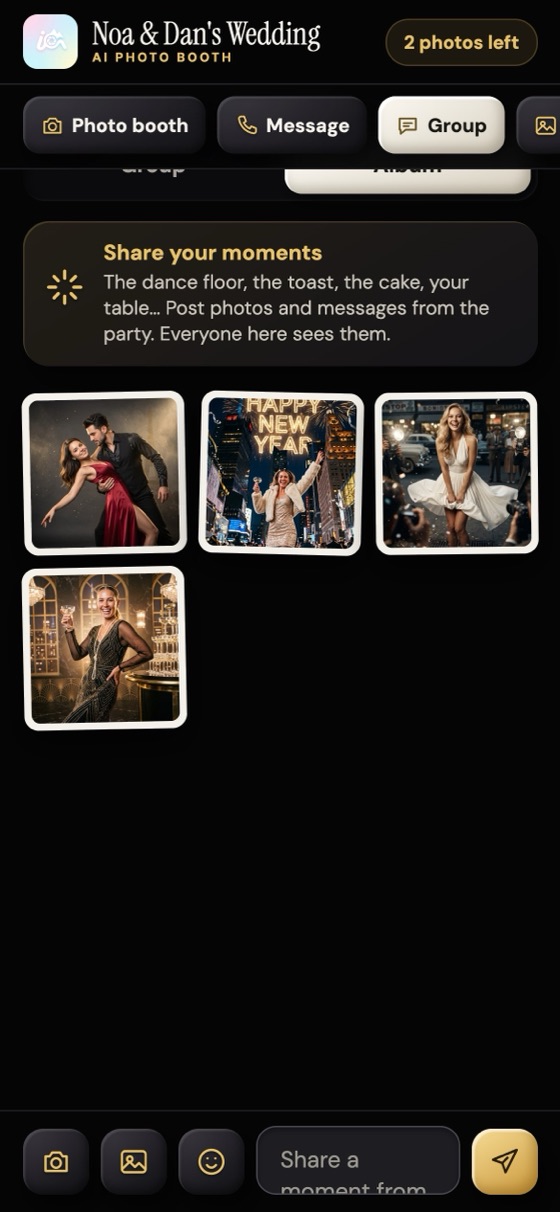
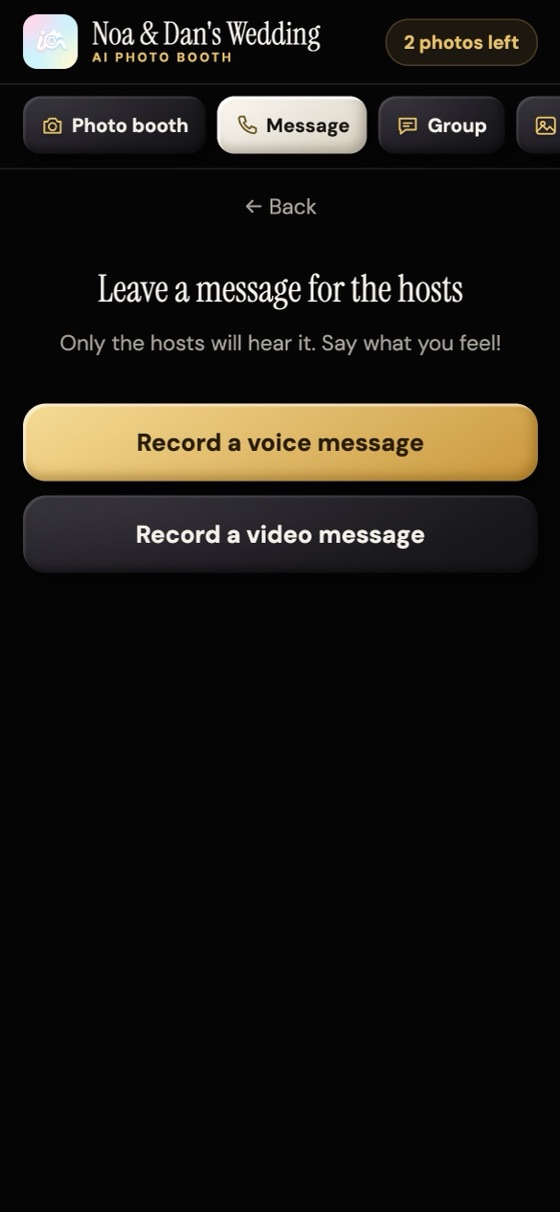
Real screens of Photoboo, from a sample event.
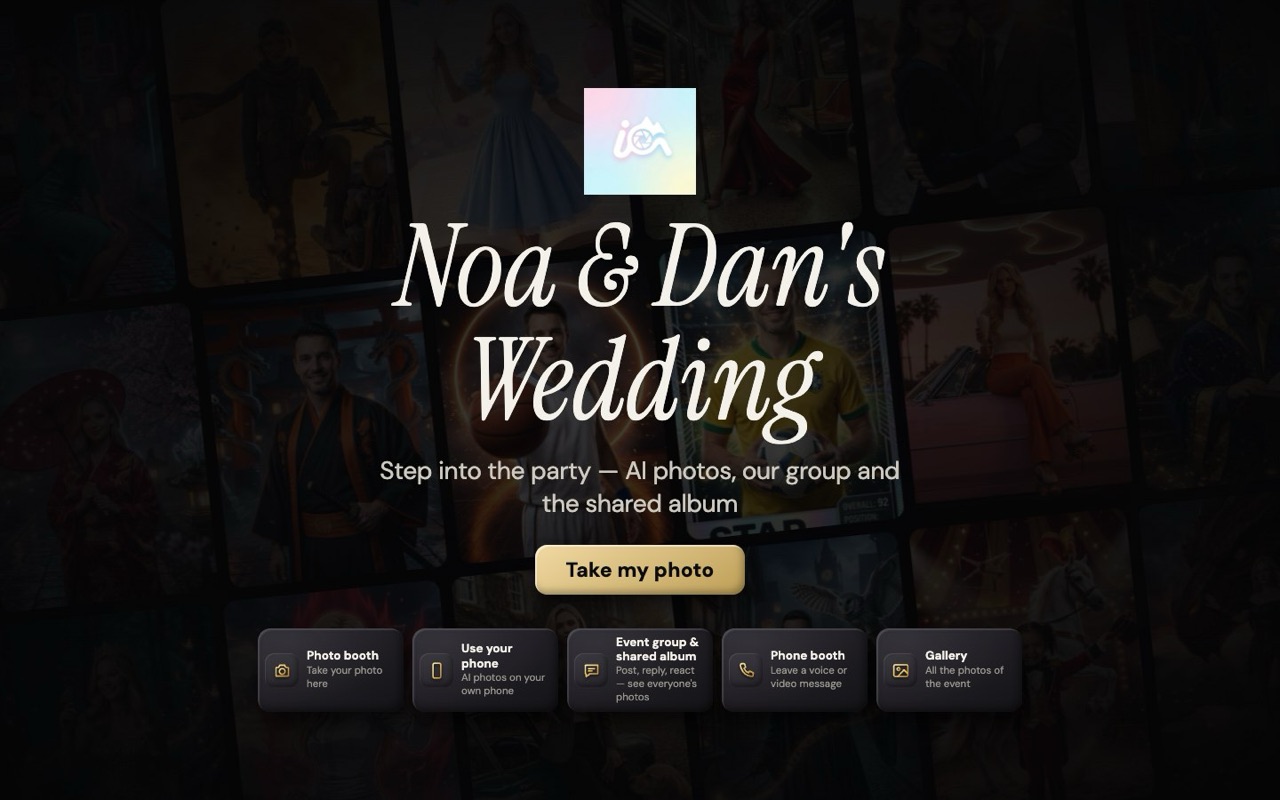
Kiosk mode
A welcome screen that runs itself.
Put a screen at the entrance. It shows the event name and one big button, and guests do the rest. After 60 seconds without a touch, it goes back to the welcome screen on its own.
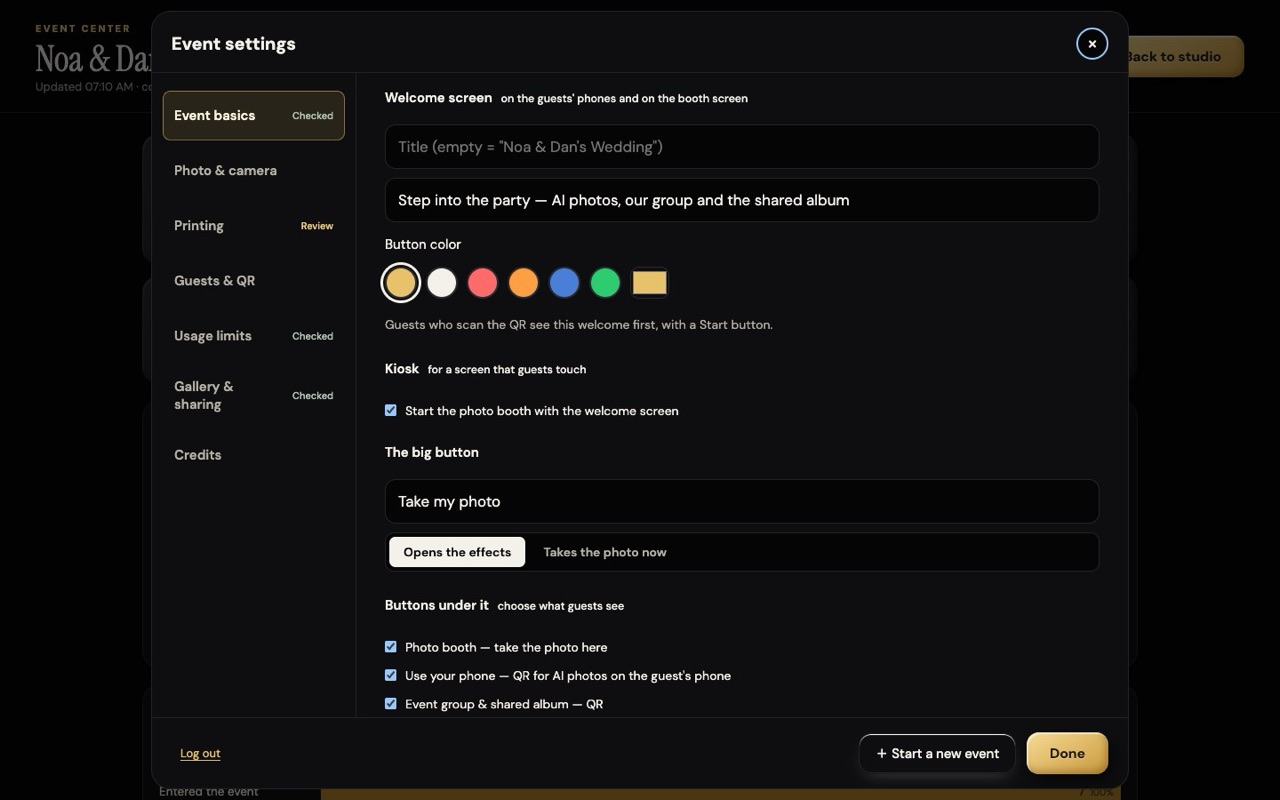
Your title and your color
The event name, a line under it and the color of the big button.
One big button
It opens the effects, or takes the photo right away — you choose.
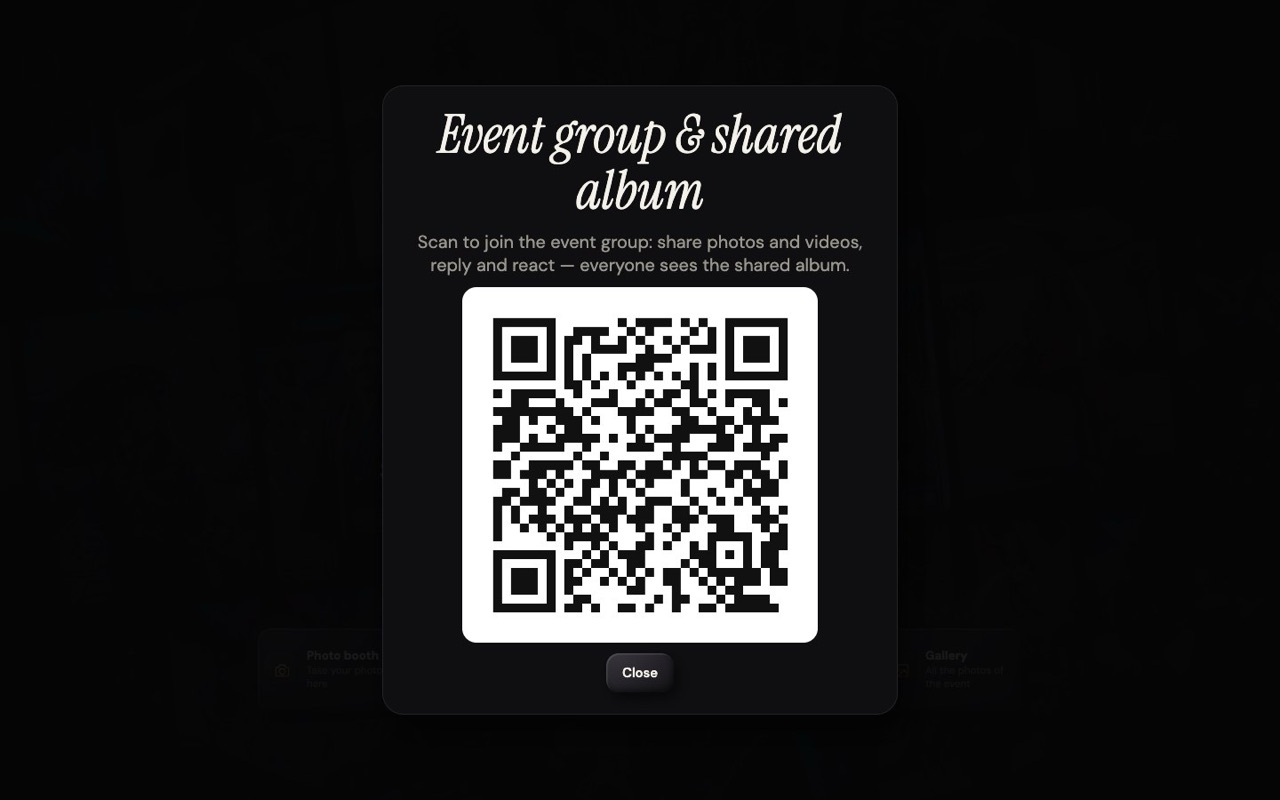
QR buttons under it
Use your phone, the event group and the gallery: a tap shows a big QR code.
Back to the start
60 seconds without a touch and the welcome screen is back, ready for the next guest.
Event center
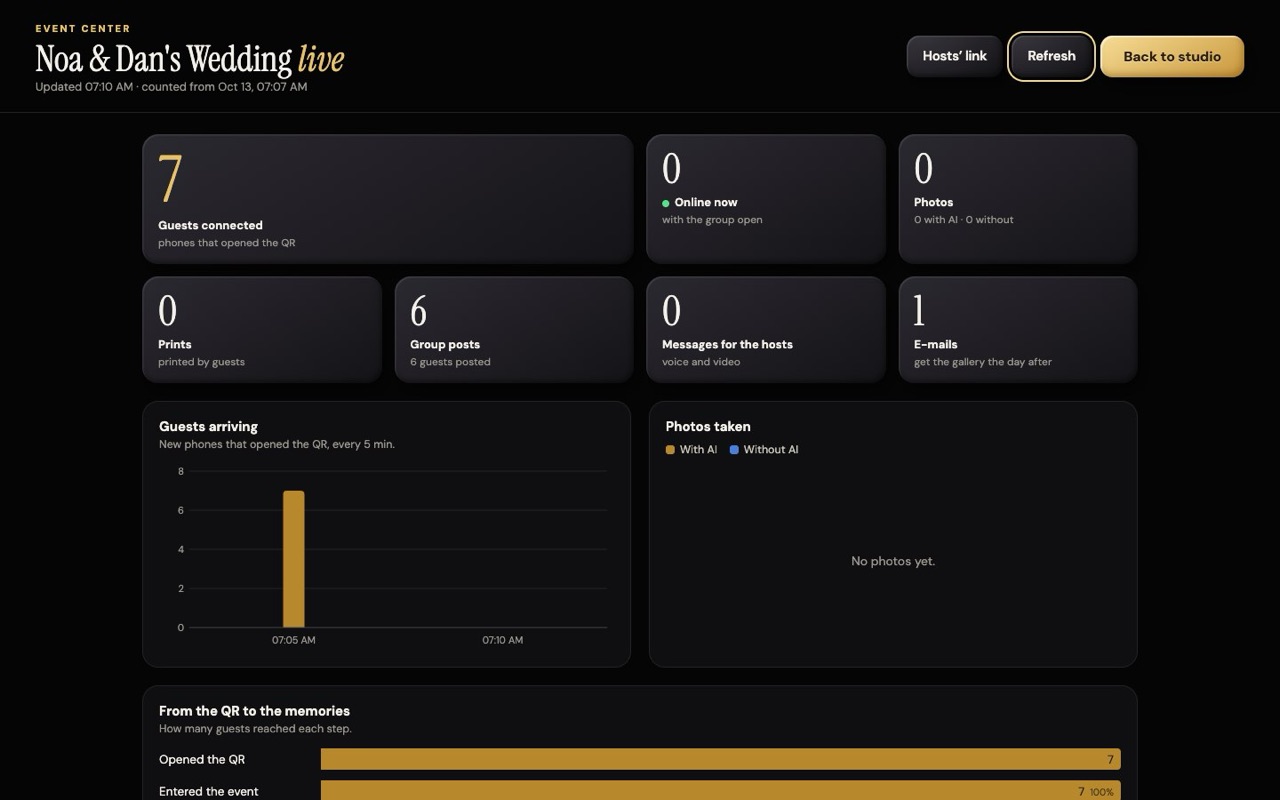
See the party as it happens.
One screen with the numbers of the event, in big type: who came, what they made and how many got the gallery.
- Phones that opened the QR, and who is online now
- Photos with AI and without AI, and prints
- Group posts, messages for the hosts and e-mails
- A chart of guests arriving, every 5 minutes
- The hosts’ link: the couple or the family follow the same numbers on their own phone, view only
A hybrid ecosystem
One Photoboo. Any way you work.
Photoboo Web adapts to the way you already run events: touch screens, computers, cameras, your own photos and your guests’ phones. Use one setup or mix them at the same event.
Touch-screen kiosk
Put a touch screen at the event. Guests pick a style, pose and get their photo on their own, with big buttons and a countdown.
Computer + camera
Run it on a laptop or desktop with the built-in camera, a USB webcam or your DSLR through a capture card.
Your own photos
Shoot with your camera as a photographer, upload the photos from the computer and turn them into AI portraits.
QR code for guests
Show a QR code at the event. Guests scan it and create AI photos on their own phones, using your credits, within the limits you set.
Made for the booth
Your computer, touch screen or phone is the booth.
No special hardware. Use what you already have — a computer, a touch screen or even a phone — and start the event.
Webcam or DSLR
Uses the laptop camera, a USB webcam or your DSLR through an HDMI capture card.
Upload from your computer
No camera? Upload photos from the computer and get the same result.
110+ styles
Red carpets, New York editorials, fantasy, sports cards, kids’ worlds. New styles every month.
Real faces, 1 or 2 people
Keeps each guest’s own face. Works for singles and couples.
Print quality up to 4K
Standard photos are sharp enough for 10×15 cm prints. Choose 4K for large formats.
Touch screens welcome
Big buttons, full screen mode and a countdown the guests understand.
The styles
110+ worlds to choose from.
A few of the styles. New ones are added every month.





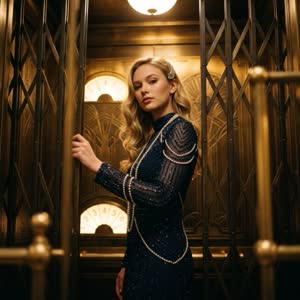


















Who it’s for
Built for people who work events.
Photo booth rentals
Add AI photos to every booth you rent out.
Event photographers
Turn the photos you shoot into AI portraits for your clients.
Event planners and venues
Give guests an attraction that needs no extra staff.
Brands and activations
Put guests inside your brand’s world, with your logo on the gallery.
Pricing
Two ways to pay. You choose.
Pay only for the AI photos you create, with no subscription. Or go Photoboo Pro, with the event group, messages for the hosts and credit packs that cost about 30% less.
| No subscription | Photoboo Pro | |
|---|---|---|
| Price | Only the credits you buy | US$39.99 / monthUS$359.99 / year · US$30.00 per month |
| AI photo credit packs | 18 credits · US$9 · US$0.50 per credit500 credits · US$139 · US$0.28 per credit | 100 credits · US$25 · US$0.25 per credit500 credits · US$99 · US$0.20 per credit |
| AI photos included | — | 10 per month, up to 2K |
| 110+ AI styles, 1K to 4K | ✓ | ✓ |
| Guests on their own phones (QR) | ✓ | ✓ |
| Photos without AI | — | ✓ |
| Event group with a shared album | — | ✓ |
| Messages for the hosts (voice or video) | — | ✓ |
| Videos in the group and the album | — | ✓ |
| Event book (PDF) and gallery by e-mail | — | ✓ |
| Online space | Online gallery for 3 months | 10 GB per event, kept 3 months |
| Photoboo iPad app (Pro bought in the app) | — | ✓ |
No subscription: credit packs
+20 credits free on your first purchase
- Nano Banana 2 · 1K/2K
- 18 photos
- Nano Banana 2 · 4K
- 12 photos
- Nano Banana Pro · 2K
- 12 photos
- Nano Banana Pro · 4K
- 7 photos
- Nano Banana 2 · 1K/2K
- 50 photos
- Nano Banana 2 · 4K
- 33 photos
- Nano Banana Pro · 2K
- 33 photos
- Nano Banana Pro · 4K
- 20 photos
- Nano Banana 2 · 1K/2K
- 100 photos
- Nano Banana 2 · 4K
- 66 photos
- Nano Banana Pro · 2K
- 66 photos
- Nano Banana Pro · 4K
- 40 photos
- Nano Banana 2 · 1K/2K
- 250 photos
- Nano Banana 2 · 4K
- 166 photos
- Nano Banana Pro · 2K
- 166 photos
- Nano Banana Pro · 4K
- 100 photos
- Nano Banana 2 · 1K/2K
- 500 photos
- Nano Banana 2 · 4K
- 333 photos
- Nano Banana Pro · 2K
- 333 photos
- Nano Banana Pro · 4K
- 200 photos
Photoboo Pro
Subscribe here for Photoboo Web. Subscribe in the Photoboo iPad app (App Store) and Photoboo Web is included too, with the same account.
Monthly
Yearly
Every month: 10 AI photos up to 2K · 10 GB per event, kept 3 months
Credit packs for Pro members
- Nano Banana 2 · 1K/2K
- 100 photos
- Nano Banana 2 · 4K
- 66 photos
- Nano Banana Pro · 2K
- 66 photos
- Nano Banana Pro · 4K
- 40 photos
- Nano Banana 2 · 1K/2K
- 250 photos
- Nano Banana 2 · 4K
- 166 photos
- Nano Banana Pro · 2K
- 166 photos
- Nano Banana Pro · 4K
- 100 photos
- Nano Banana 2 · 1K/2K
- 500 photos
- Nano Banana 2 · 4K
- 333 photos
- Nano Banana Pro · 2K
- 333 photos
- Nano Banana Pro · 4K
- 200 photos
Pro pays for itself when you work a lot: 500 credits cost US$139 without subscription, or US$138.99 with Pro (US$39.99 + US$99).
Prices in US$. Tax, where it applies, is added at checkout. Secure checkout by Dodo Payments, our Merchant of Record.
Credits are paid once and valid for 12 months. Before you buy, read our refund policy.
Every account includes
- All 110+ AI styles, with new styles every month
- Nano Banana 2 and Nano Banana Pro, from 1K to 4K
- Touch screen, computer and camera, uploaded photos and QR for guests
- An online gallery for every event, online for 3 months
- QR sharing and full-quality downloads
- Credits valid for 12 months; the ones that expire first are used first
How credits are counted
| Model | 1K | 2K | 4K |
|---|---|---|---|
| Nano Banana 2standard | 1 credit | 1 credit | 1.5 credits |
| Nano Banana Prosharper details | — | 1.5 credits | 2.5 credits |
A standard photo uses 1 credit. 4K and the Pro model use more, because they create more detail. The event’s model is chosen in Settings. If a photo fails, the credits go back to your balance.
Online gallery
Your galleries, online for 3 months.
Every event gets an online gallery. Guests scan a QR code to see, download and share their photos. Each gallery stays online for 3 months, then it is deleted.
Photos stay online for 3 months, then they are deleted.
This is for every event gallery. Download the photos before — as a ZIP file, at no cost.
More space for all your galleries
You can download all the photos of an event as a ZIP file at any time, at no cost.
How the gallery works
- Create an event. Its online gallery is created automatically.
- Every photo from the booth goes straight into the event’s gallery.
- Guests scan the QR code on the screen or on the print to see, download and share their photos.
- You choose who can see it: open to everyone, protected by a password, or with a PIN for downloads.
Your brand on the gallery
The domain itself (for example yourbusiness.com) is registered by you, with any registrar.
Questions and answers
What is Photoboo Web?
Photoboo Web is AI photo booth software that runs in a web browser, on a computer, a touch screen or a phone. The operator picks one of more than 110 AI styles, takes the guest’s photo with a webcam or uploads a photo from the computer, and gets a finished AI portrait. It works the way the operator already works: on a touch-screen kiosk, on a computer with a camera, or with photos uploaded from a photographer’s camera. It was built by the Photoboo Lab.
Is Photoboo Web available now?
Not yet. Photoboo Web is coming soon.
Do I need special hardware or an app?
No. Photoboo Web runs in the browser on a Windows or Mac computer, a touch screen or a phone. There is nothing to install.
Which setups can I use?
Any of them, or a mix: a touch-screen kiosk where guests use it on their own, a computer with a webcam or DSLR, photos you shot and upload from the computer, or a QR code so guests use their own phones.
Can guests use their own phones?
Yes. You show one QR code for the event and guests create AI photos on their own phones, with no line at the booth. The photos use your credits, and you set the limits: AI photos per guest, print copies per guest through Photoboo Smart Server, a limit for the whole event, the hours, the available styles and a pause button.
What is the event group?
A group chat for the event, included in Photoboo Pro. Guests join with the event’s QR code, with their name and e-mail (the e-mail is used once, to send them the gallery the day after), and post photos, short videos, voice notes and text; they reply, react and send emoji. Every photo and video goes into a shared album that everyone can open during the party. Guests can also leave a voice or video message that only the hosts see. After the event you get the event book in PDF, and the guests get the gallery by e-mail one day later.
What do I need to run it?
A computer, touch screen or phone with an up-to-date Chrome, Edge or Safari browser, a camera or photos to upload, and an internet connection. The AI styles are created online.
Which cameras can I use?
The laptop’s built-in camera, a USB webcam, or a DSLR or mirrorless camera connected through an HDMI capture card, which the computer sees as a webcam.
Can I use photos I already have?
Yes. Upload photos from the computer and transform them just like photos taken with the camera.
How long does one AI photo take?
It depends on the quality you choose and on the internet connection. Standard photos are the fastest. 4K photos and the Pro model take longer, because they create more detail.
How many people can be in one photo?
One or two people. Couple styles are made for two.
Does it keep the guest’s real face?
Yes. The styles are built to keep each guest’s own face and identity and to change only the outfit, the pose and the scene.
How many styles are there?
More than 110, including red carpets, New York editorials, fantasy worlds, sports cards and styles for kids. New styles are added every month.
What resolution are the photos?
Standard photos come in 1K or 2K, which is enough for 10×15 cm (4×6 in) prints. For large prints you can choose 4K.
How does pricing work?
There are two ways. Without a subscription, you buy a pack of credits and pay once: 18 credits for US$9 (US$0.50 per credit), 50 for US$19, 100 for US$35, 250 for US$79 or 500 for US$139 (US$0.28 per credit). With Photoboo Pro, for US$39.99 a month or US$359.99 a year, you get the event group, photos without AI, messages for the hosts, videos, 10 GB per event for 3 months, 10 AI photos a month up to 2K, and credit packs about 30% cheaper: 100 for US$25 (US$0.25 per credit), 250 for US$55 or 500 for US$99 (US$0.20 per credit). 1 credit = 1 AI photo with Nano Banana 2 (1K or 2K); 4K and the Pro model use 1.5 or 2.5 credits.
What is Photoboo Pro?
The plan that unlocks everything in Photoboo Web. It adds the event group with a shared album, messages for the hosts, photos without AI and videos, 10 GB per event kept for 3 months, 10 AI photos a month up to 2K, and credit packs about 30% cheaper. Pro bought on our website is for Photoboo Web. Pro bought in the Photoboo iPad app (App Store) also includes Photoboo Web, with the same account.
How are AI photos counted?
A standard photo with Nano Banana 2 in 1K or 2K counts as 1 AI photo. Nano Banana 2 in 4K and Nano Banana Pro in 2K count as 1.5. Nano Banana Pro in 4K counts as 2.5. You choose the model and the quality before each photo.
Is there a monthly fee?
Only if you choose Photoboo Pro, for US$39.99 a month or US$359.99 a year (US$30 a month). Without a subscription, you pay once for each pack of credits, and the credits are valid for 12 months from the day you buy them. The optional gallery extras (more space, your brand, your own domain) are also monthly, and you can cancel them at any time.
How long do the galleries stay online?
Each event gallery stays online for 3 months, then it is deleted. Download the photos before — you can download all the photos of an event as a ZIP file at any time, at no cost.
Can the gallery show my own brand?
Yes. Your logo and colors on the gallery and QR pages, without the Photoboo badge, cost $7 per month. Your own domain, such as photos.yourbusiness.com, costs $15 per month plus a one-time $49 setup.
Can I print the photos?
Yes. Download the full-quality file and print it with your usual printer workflow.
Does it work on touch screens?
Yes. It has large buttons, a full screen mode and a countdown, so guests can use a touch screen on their own.
How many guests can it handle?
Tested with 500 guests at once — zero errors. In our load test, 500 phones joined the event group together, posted, reacted and scrolled the shared album at the same time; every post reached all 500 phones.
What happens to the guests’ photos?
They are stored on Cloudflare servers, only for the event. The event group closes by itself at the latest 24 hours after the last activity, and the group and the gallery are deleted 3 months later. The event host can delete anything sooner.
Is the guest’s face sent to an AI? Does it train the AI?
Only for AI photos: the photo goes to Google’s AI just to create the image. There is no face recognition and no face template, and under Google Cloud’s terms customer photos are not used to train its models. Guests who prefer can choose the photo without AI.
How can a guest delete a photo or a post?
From their own phone in the event group, through the event host, or by writing to [email protected]. We answer within 30 days.
What about children?
Children under 16 (under 13 in the United States) join the event group, leave messages or make AI photos only with a parent or guardian. The photo without AI is always available.
Who sees the event group?
Only people who have the event’s QR code. Messages for the hosts are seen only by the hosts.
Who makes Photoboo Web?
Photoboo Web was built by the Photoboo Lab, founded by an event photographer who is also a software developer.
Photoboo for the web is coming soon.
Questions before the launch? Write to us at [email protected].